
General Optimizer
On this page12
When to use the General Optimizer
The content builders (RTA, Siege, Arena, WGB, Caiross) start from meta teams and content rules. The General Optimizer starts from your idea: any monsters, any order, any requirements — a new PvE team, a raid squad, a monster you want to test, or one unit you want to rebuild.
1–10 monsters
Full control per monster
Artifacts & relics
Advanced build table
Rune locking
Saved builds
The builder has three tabs — Wizard, Saved builds and Equipped runes — and the wizard has three steps: Setup → Build → Results. The crest on the left is the Home button (it asks first if unsaved results would be lost).
Step-by-step walkthrough
Setup
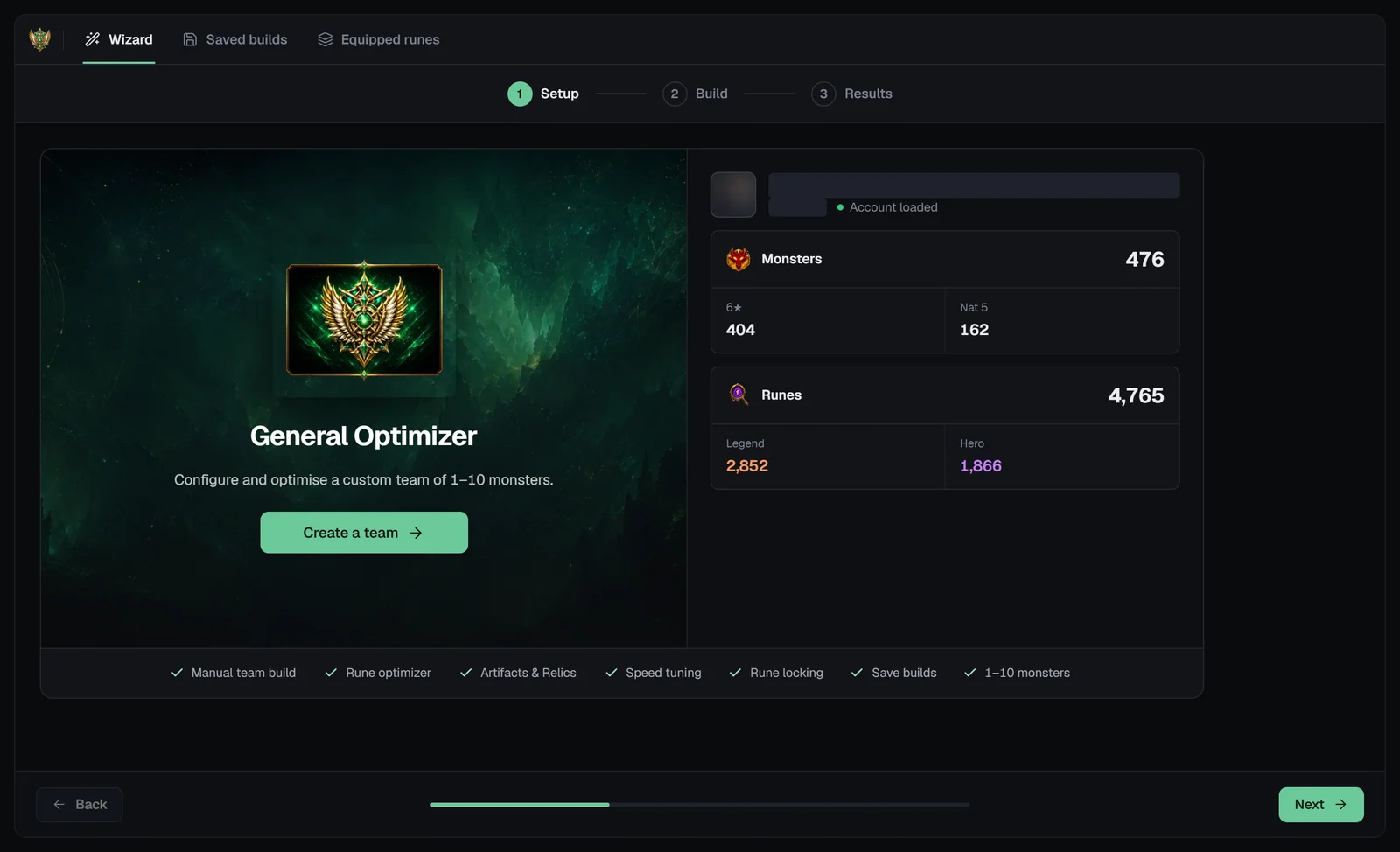
“Configure and optimise a custom team of 1–10 monsters.” With your SWEX JSON loaded the account panel shows your Monsters (total, 6★, Nat 5) and Runes (total, Legend, Hero), and the button reads Create a team →. Without a file it reads Import JSON — see the SWEX guide.
Build your team
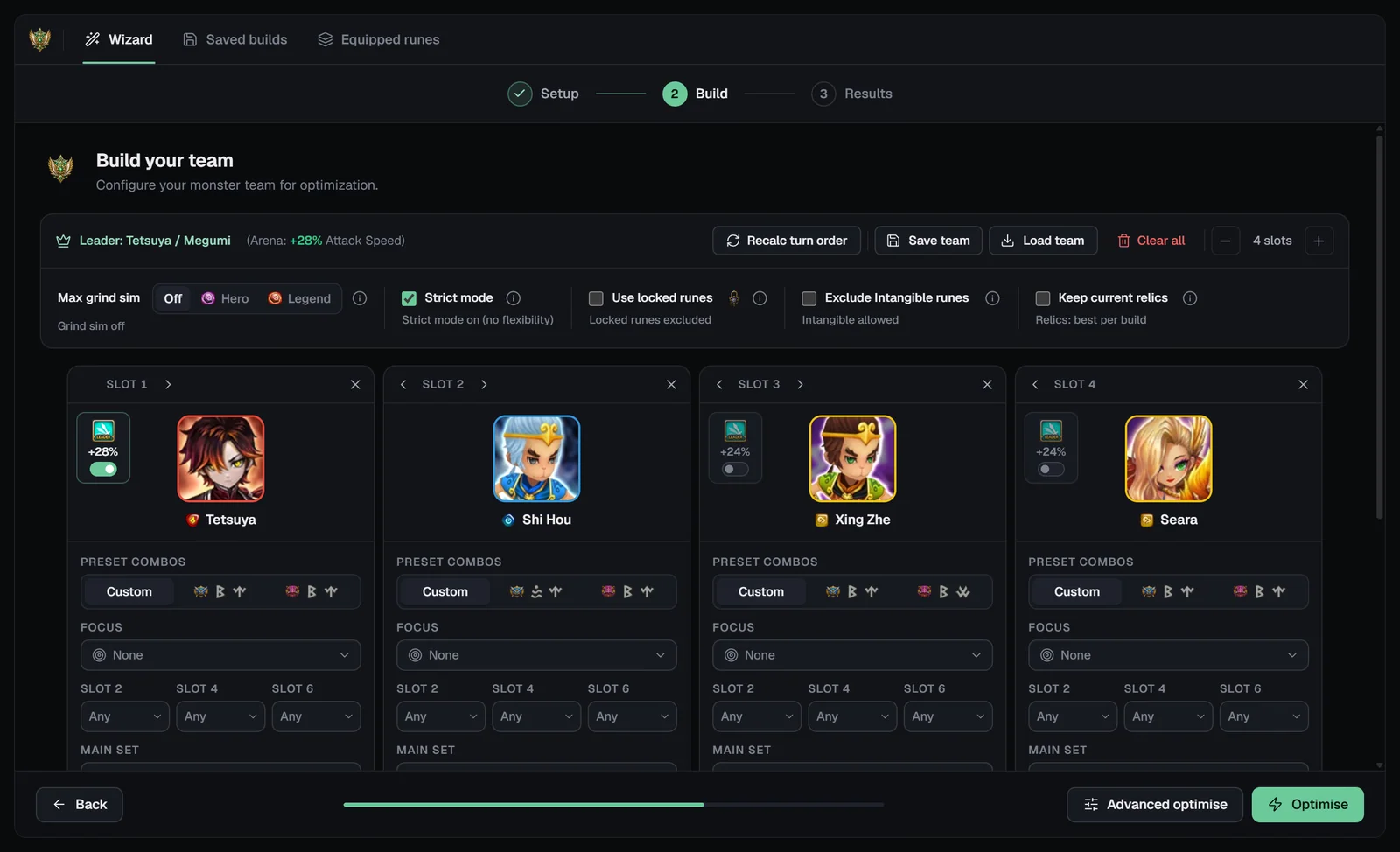
“Build your team — Configure your monster team for optimization.” The toolbar:
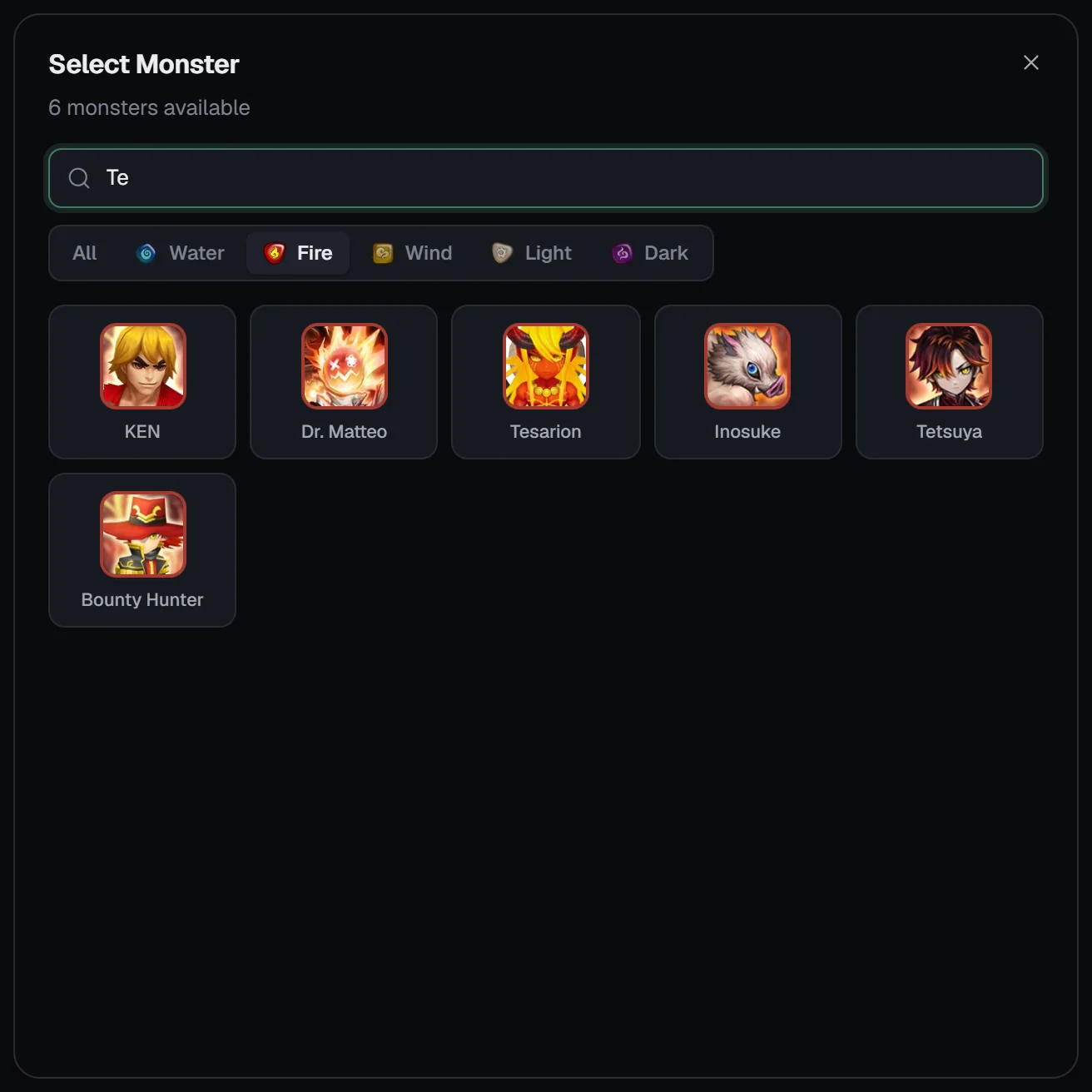
Click a card’s portrait area (“+ Add monster”) to open Select Monster: search by name, filter by element and pick from the monsters in your box. Use ‹ › on a card to move it, and ✕ to clear its monster. Use each unit once — copies of the same monster aren’t marked as used.
Monster cards
Team options
Relics are chosen after runes and artifacts, with your own towers from the JSON; a relic can be engraved on up to 150 monsters, and relics need a level-40 monster. Runes at +12 or higher count with their +15 main stat.
Speed and turn order
The General Optimizer has no speed-tune panel or tick brackets. You steer speed with:
- Card order = turn order. The optimiser keeps each monster slower in combat than the card before it (the phone layout says it outright: “Card order is the turn order”).
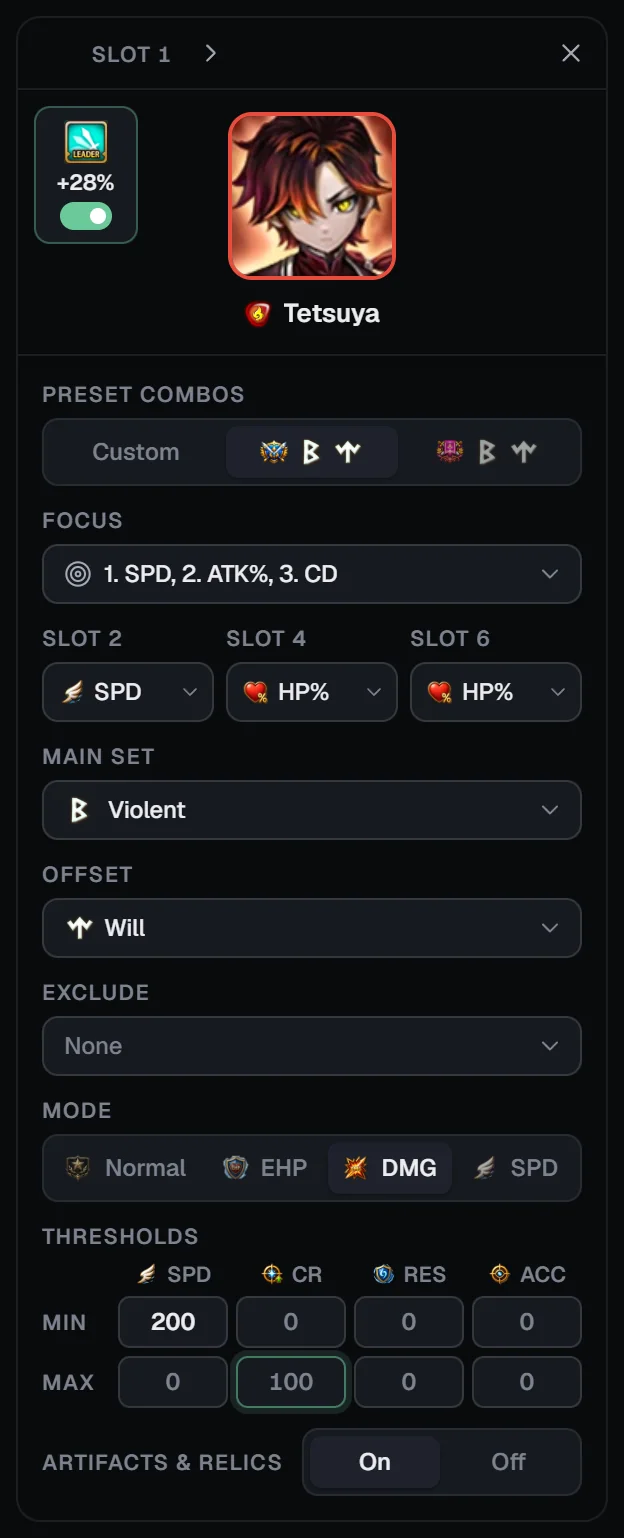
- Min and Max SPD on each card — the most direct control.
- SPD focus or SPD mode to favour speed.
- A speed leader skill. Picking a monster with a Speed leader skill makes it the team leader automatically; for Arena, General and elemental leads the portrait has a switch (“Leader skill ACTIVE”). Only Speed leads become the team leader here.
- Recalc turn order to sort the cards by base speed.
Optimising
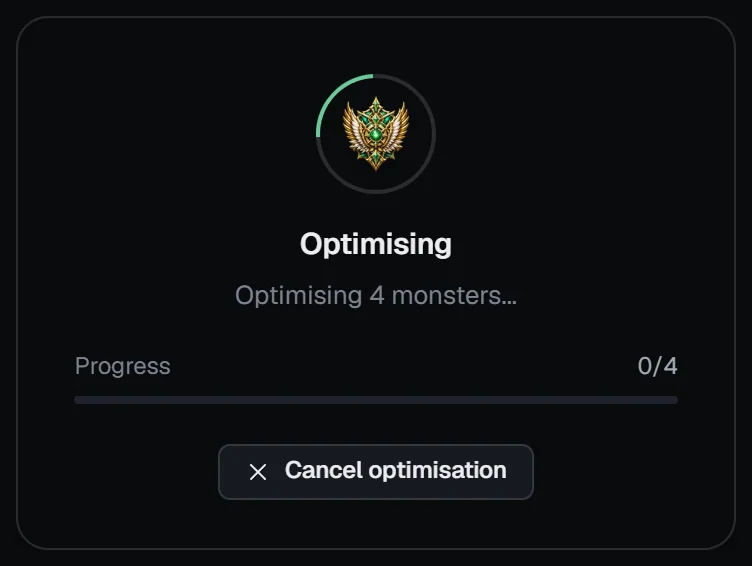
Click Optimise in the footer. An empty team shows “Add at least one monster before optimising”. During the run the Optimising overlay shows the status with the elapsed time and “Progress n/N”; Cancel optimisation returns to Build.
Advanced optimise
Advanced optimise asks for up to 500 builds per monster and opens the Advanced Optimizer table for each card in turn (“1/3”):
- Filters — minimum SPD, HP, ATK, DEF, CR, CD, RES, ACC, EHP and DMG (“x/y builds”).
- Columns: Sets, SPD, HP, ATK, DEF, CR, CD, RES, ACC, EFF%, SCORE, EHP and DMG — click a header to sort (SCORE by default). The ★ Best row stays on top.
- Click a row, then Confirm & Next: that build’s runes leave the pool and the next monster is re-optimised (“Re-optimizing …”). Back revisits a monster; Confirm & Finish on the last one shows the results.
- Cancel skips the table and shows the normal optimiser’s results.
Results
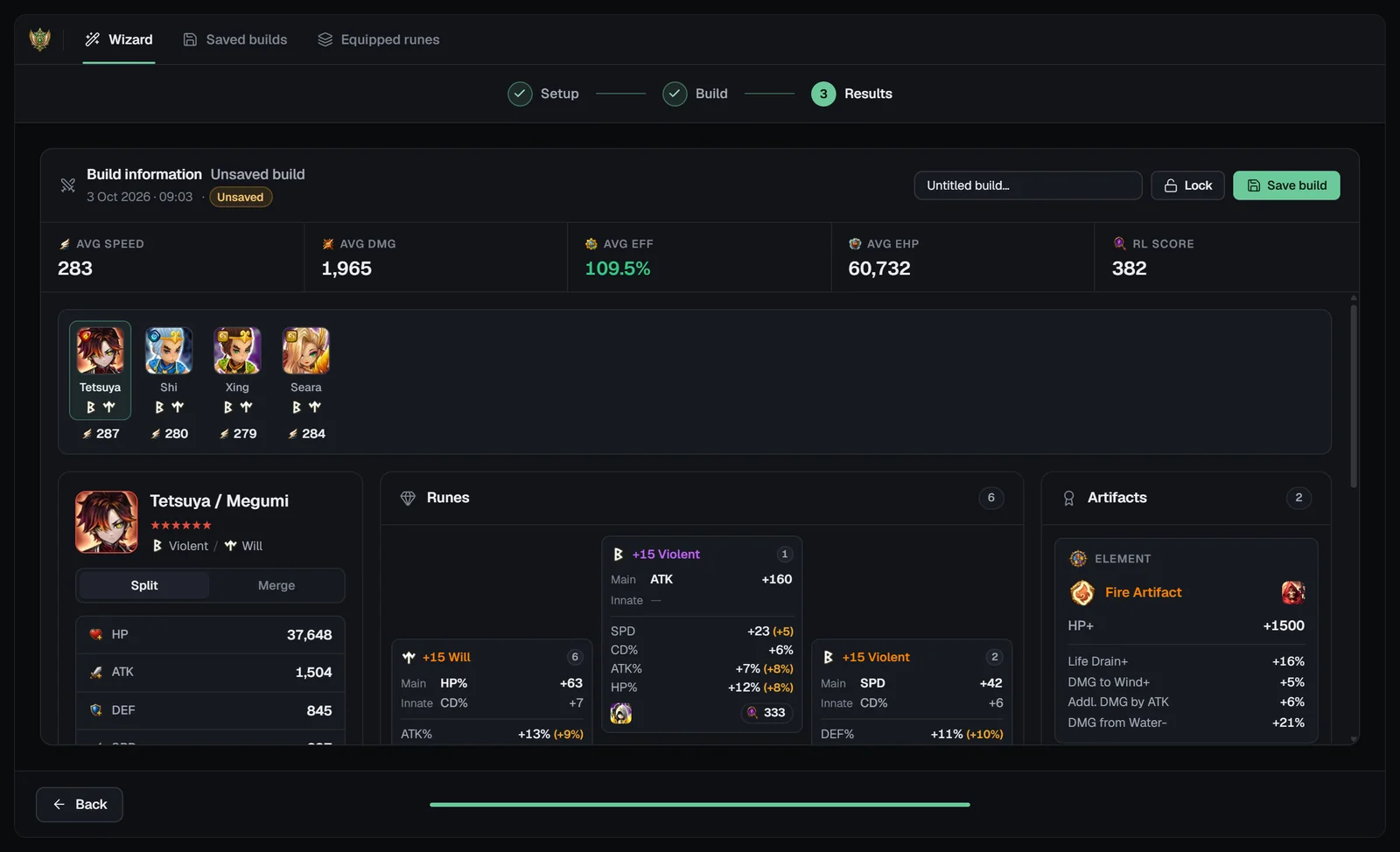
- Header — “Build information · Unsaved build”, the date, an Unsaved / Saved badge, a name field, a Lock toggle (“Build will be saved as locked”) and Save build.
- Threshold banner — monsters that missed a threshold are listed (“the best available with your current rune pool”) and marked with a red ring.
- Averages — Avg speed, Avg DMG, Avg EFF, Avg EHP and RL score, then a strip with each monster’s sets and speed.
- Stat card — the selected monster’s stats with EHP, DMG, EFF and RL score.
- Runes — the rune flower, each rune labelled with where it is now: “Inventory” or the monster wearing it.
- Artifacts and Relic — e.g. “Re-engrave (now …)”, “Engrave this relic” or “Already engraved”, its effect and the damage gain against no relic and against your current one.
Saving without a name opens Save build (“Lock this build (its monsters keep these runes)”). Each save adds a new build; Back returns to Build with your team intact.
Saved builds, equipped runes and locks
Saved builds
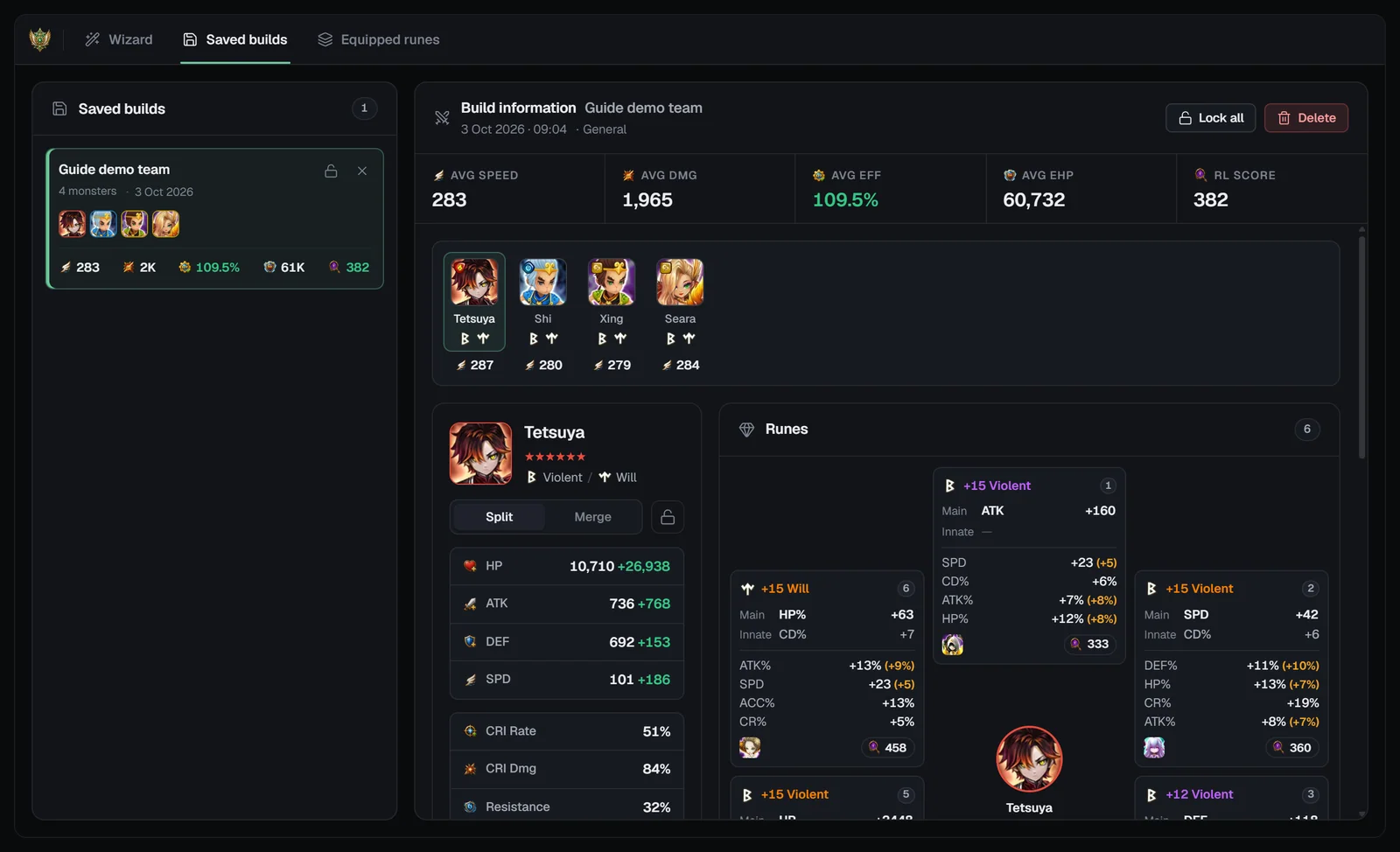
Your builds (saved to your account and this browser) with their monsters, averages and date. Open one to see each monster’s runes, artifacts and relic, lock or unlock monsters (Lock all / Unlock all), or delete it — unlock it first; Delete asks for a second click.
Equipped runes
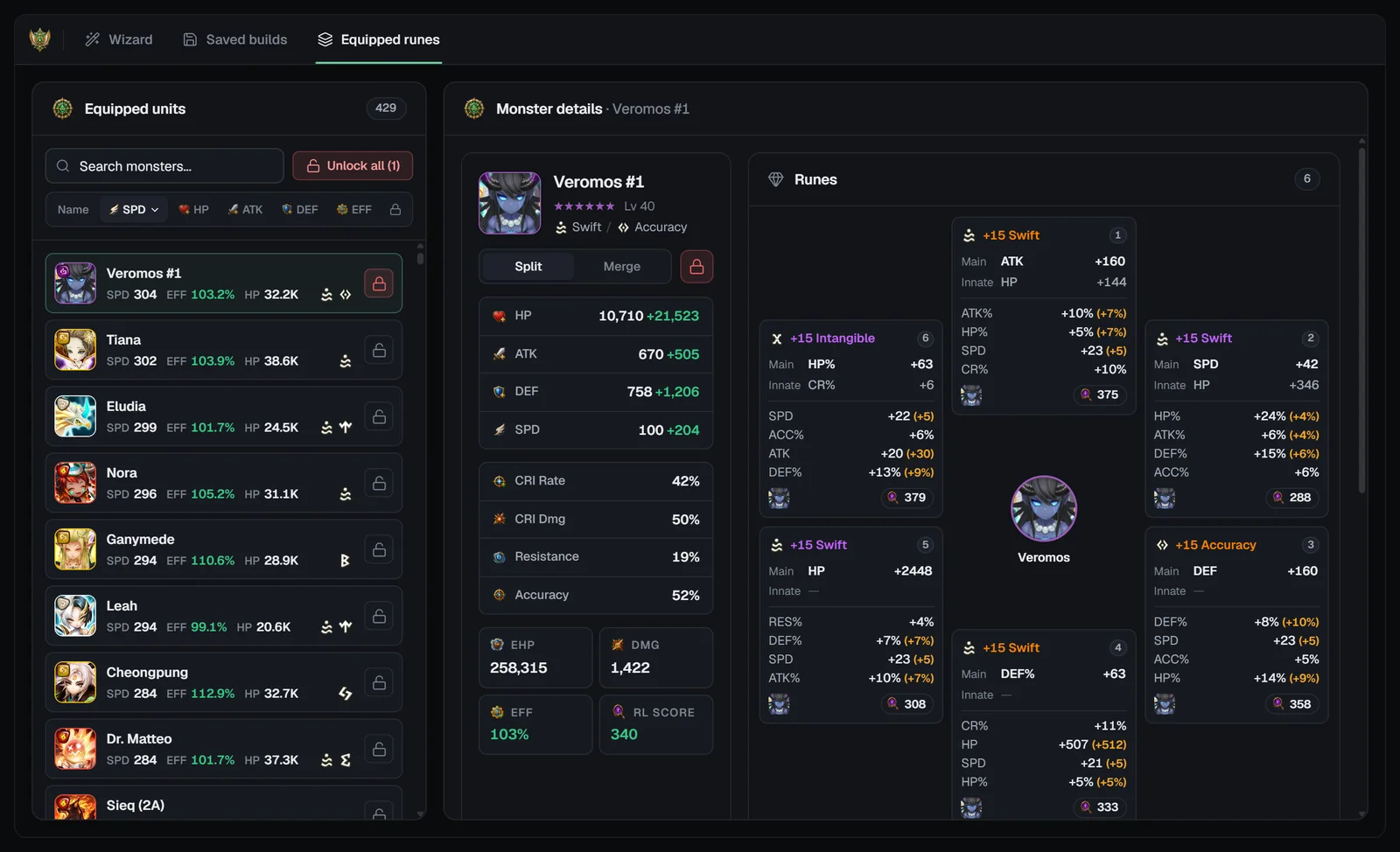
Your monsters with the runes they wear in your normal rune box: search, sort by name, SPD, HP, ATK, DEF, EFF or lock, open a monster’s details, and lock or unlock it. “Unlock all (N)” asks first.
How locks work
- Locks live in one pool shared by the General Optimizer, Arena Builder, WGB attack and Caiross Workshop. RTA, Siege and WGB defense have their own.
- With Use locked runes off, a run leaves out the runes of locked monsters in those builders, their newest saved builds, and what locked monsters wear now.
- A locked monster that is in your team keeps its own runes.
- Locks are per monster, and you can also lock whole builds from My Monsters.
On phones
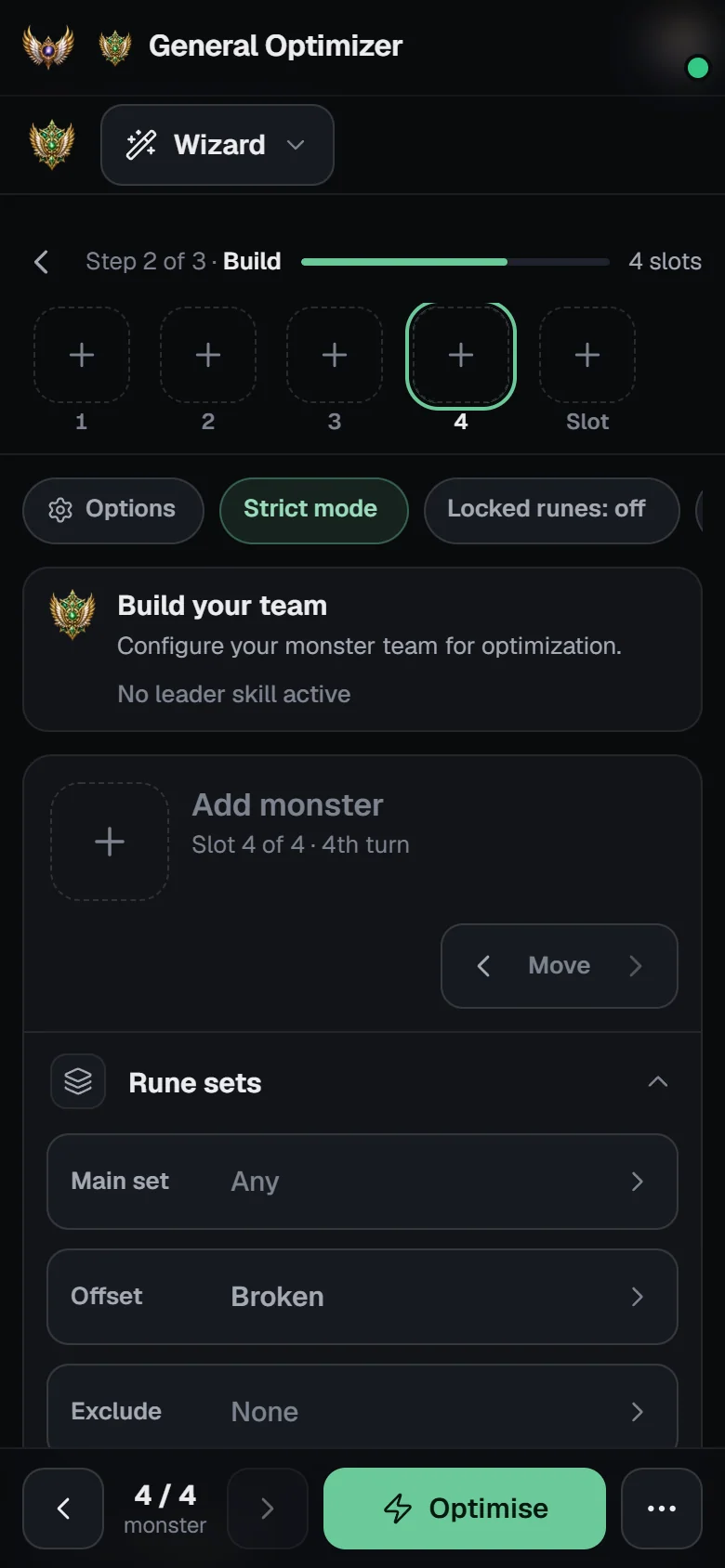
- A view switcher picks Wizard, Saved builds or Equipped runes; a step line and a sticky action bar replace the stepper and footer.
- Build shows a “Team slots” bar of portraits and one card at a time — swipe sideways for the next (“Card order is the turn order”).
- Option chips (Strict mode, Locked runes, Grind sim, Intangible, Relics) open a Team options sheet with the slot stepper; the ⋯ menu holds Advanced optimise, Recalc turn order, Save team, Load team and Clear all.
- Advanced optimise becomes a full-screen list with sort chips and a Filters sheet; saving opens a sheet with a “Lock the runes on save” switch.
Tips
Start from a preset
Click the RTA or SIEGE preset on each card for a proven set and main-stat combination, then adjust.
Order before optimising
Put your fastest monster first — the optimiser keeps each card slower than the one before it.
Loosen when it fails
If thresholds aren’t met, lower a minimum, add an offset set or turn Strict mode off.
Lock what you equip
Lock a build once it’s in game so Arena, WGB attack and Caiross runs leave it alone.
Want meta teams instead?
For content-specific teams use the RTA Builder, Siege Builder, Arena Builder, WGB Builder or the Caiross Workshop.
Frequently asked questions
What is the General Optimizer for?
Optimising any monsters you choose — 1 to 10 of them — without meta teams, presets or content rules: pick the monsters, set what each build needs, and SWLens assigns the best runes, artifacts and relics from your box, never using a piece twice.
Do I need Premium?
Yes. The General Optimizer is a Premium feature: the Setup screen opens for everyone, and continuing shows the Premium plans. Premium runs spend no tokens.
How do I control speed and turn order?
The card order is the turn order: the optimiser keeps each monster slower than the one before it. Use Min and Max SPD on each card, SPD focus or SPD mode, and a speed leader skill. Recalc turn order re-sorts the cards by base speed. There is no separate speed-tune panel in the General Optimizer.
What does Strict mode do?
With Strict mode on (the default) the optimiser follows your sets, main stats and thresholds exactly and reports what failed. Off, it may fall back to other set combinations to find a build.
What is Advanced optimise?
It returns up to 500 builds per monster in a table. You filter and sort them, pick one for each monster in turn, and each pick is removed from the pool before the next monster is re-optimised.
Which runes does it use, and how do locks work?
Your normal rune box: inventory runes plus the runes on your monsters. Locks are shared with the Arena Builder, WGB attack and the Caiross Workshop, so their locked builds stay out of a General run unless you switch on Use locked runes.
Does it count +12 runes as +15?
Yes. The optimisers count runes at +12 to +14 with their +15 main stat, because finishing a rune is cheap.
Related guides


About the SWLens General Optimizer
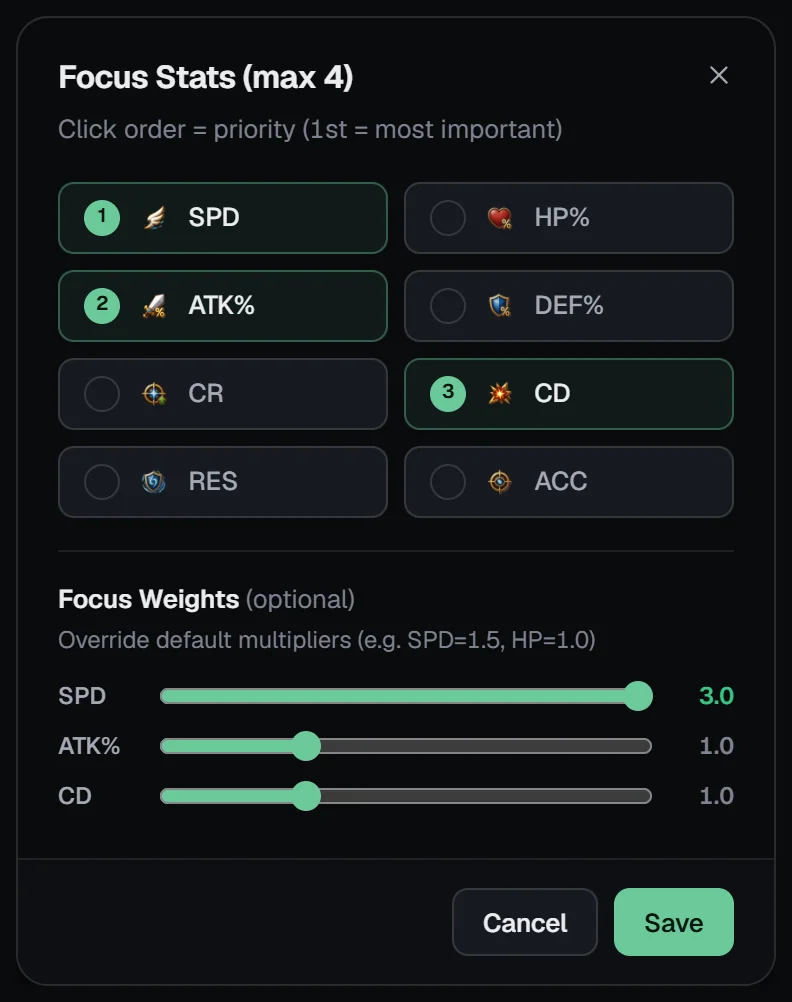
The SWLens General Optimizer is a Summoners War rune optimizer for any team of 1 to 10 monsters. Build a custom team, set each monster’s rune sets, excluded sets, slot 2/4/6 main stats, weighted focus stats, mode and minimum or maximum SPD, Crit Rate, RES and Accuracy, and optimise runes, artifacts and relics together from your SWEX JSON. Pick from up to 500 builds per monster in the advanced build table, simulate max grinds, then save and lock builds shared with the Arena, WGB attack and Caiross optimisers.
Build any team your way
Import your SWEX JSON, add your monsters and let SWLens find the best runes, artifacts and relics.
 Get your SWEX JSON