
RTA Lens
On this page18
What is RTA Lens?
RTA Lens is SWLens’s hub for Real-Time Arena statistics. Open RTA Lens in the sidebar (/webapp/rta-lens) — it is public, so no login is needed. The header shows “Real-Time Arena meta — counters, matchups, leaderboards & deep analytics”, a View my profile button, the player search and an all-time stats strip: Seasons (e.g. 36–38), Battles and Players tracked, and Monsters.
Live season
Rank cut-offs
Meta
Leaderboard
Recent battles
Player profiles
The six tabs
Each tab has its own address (?page=…); filters are not saved in the address, so a reload resets them. Clicking any monster anywhere opens it in Monster analytics.
/webapp/rta-lens“Season at a glance — key numbers, server champions, rank cut-offs and meta movers”?page=ranks“Rank cut-offs and how players spread across the tiers”?page=meta“Meta scatter, leader skills and the top picks, win rates, overall and bans”?page=leaderboard“Top players by score, live activity, risers and fallers”?page=battles“Live feed of ranked RTA battles”?page=monster&monster_id=…“Deep analytics for one monster — draft slots, trends, synergies, top players”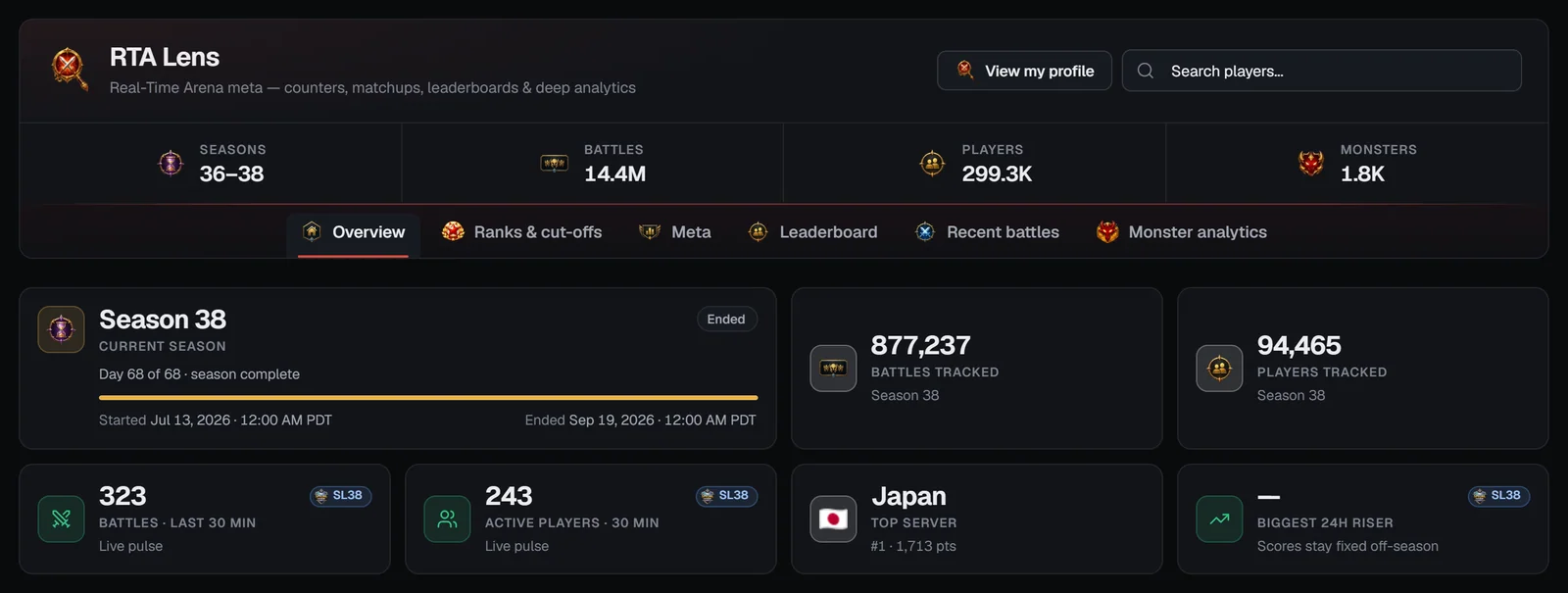
Seasons and the Special League
Finding a player
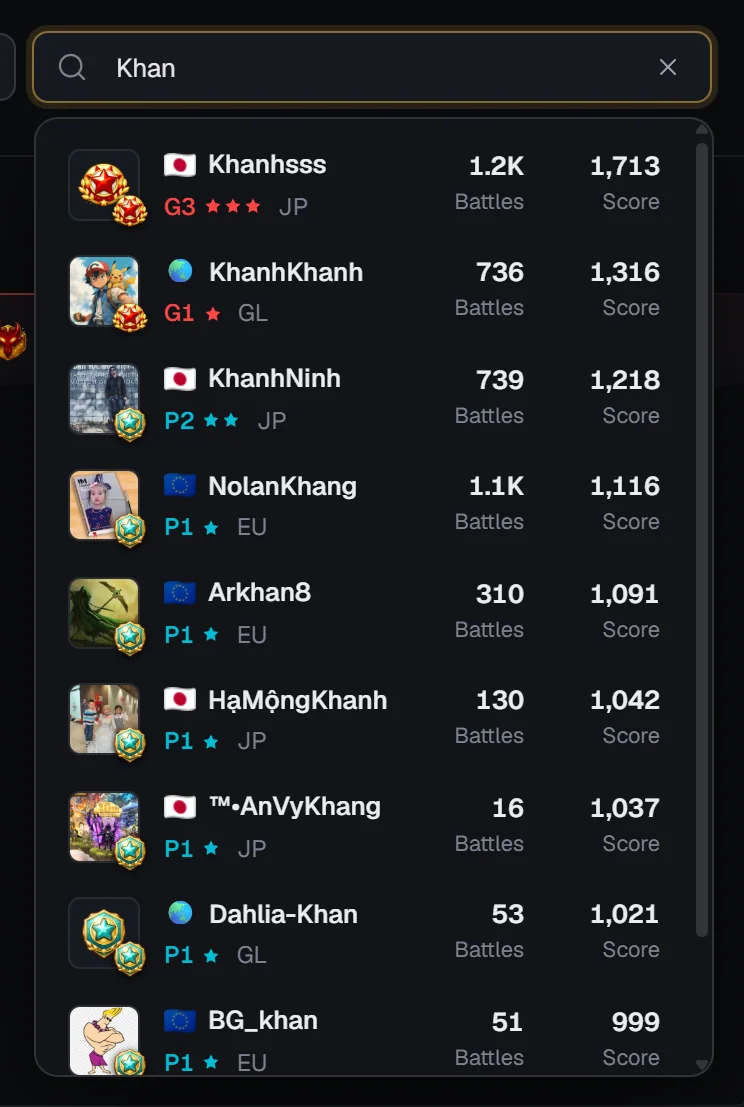
Type part of an in-game name in Search players… (top right of RTA Lens and of every player profile). The search matches anywhere in the name, ignores case and lists the ten best matches, highest score first. Each result shows:
- the profile picture with the rank badge (or just the badge);
- the server flag and name, the short rank with stars (e.g. “G3”) and the server code;
- Battles recorded and the latest Score.
Use ↑ / ↓ and Enter, or click, to open the player’s profile. Other ways in: leaderboard rows, player names in battles, server champions, risers and fallers, and a monster’s top players. View my profile opens your own profile — it needs you to log in with your SWEX JSON imported, because SWLens finds you by the wizard in your JSON.
Overview
Season tiles
Server champions
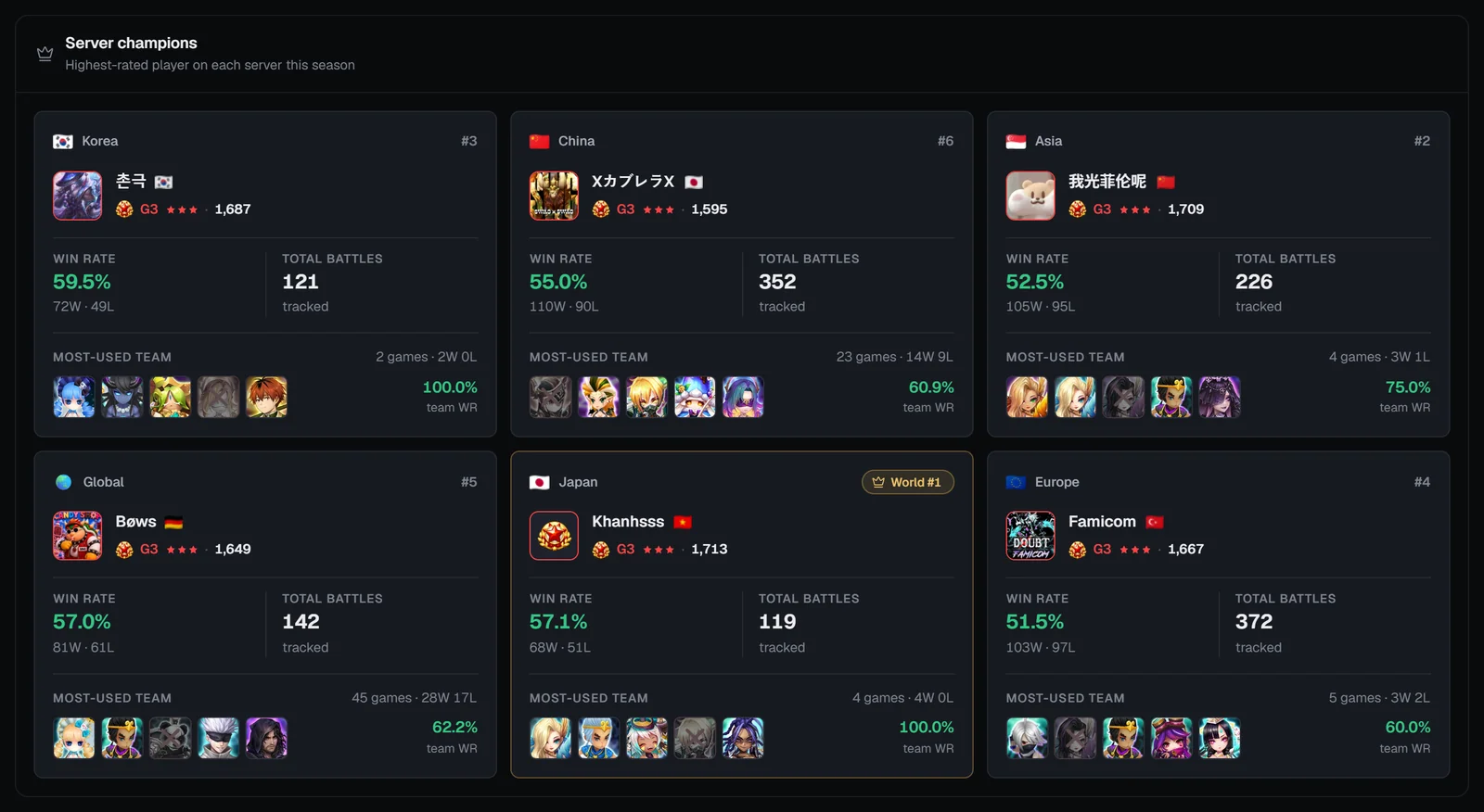
The highest-rated player on each server this season — Korea, China, Asia, Global, Japan and Europe — with a World #1 badge on the best. Each card shows the player’s rank and score, their Win rate over their latest 200 ranked battles, Total battles, and their Most-used team (five monsters, the opponent’s ban greyed out, with the team’s win rate). Click a card to open the profile.
Rank cut-offs and Meta momentum
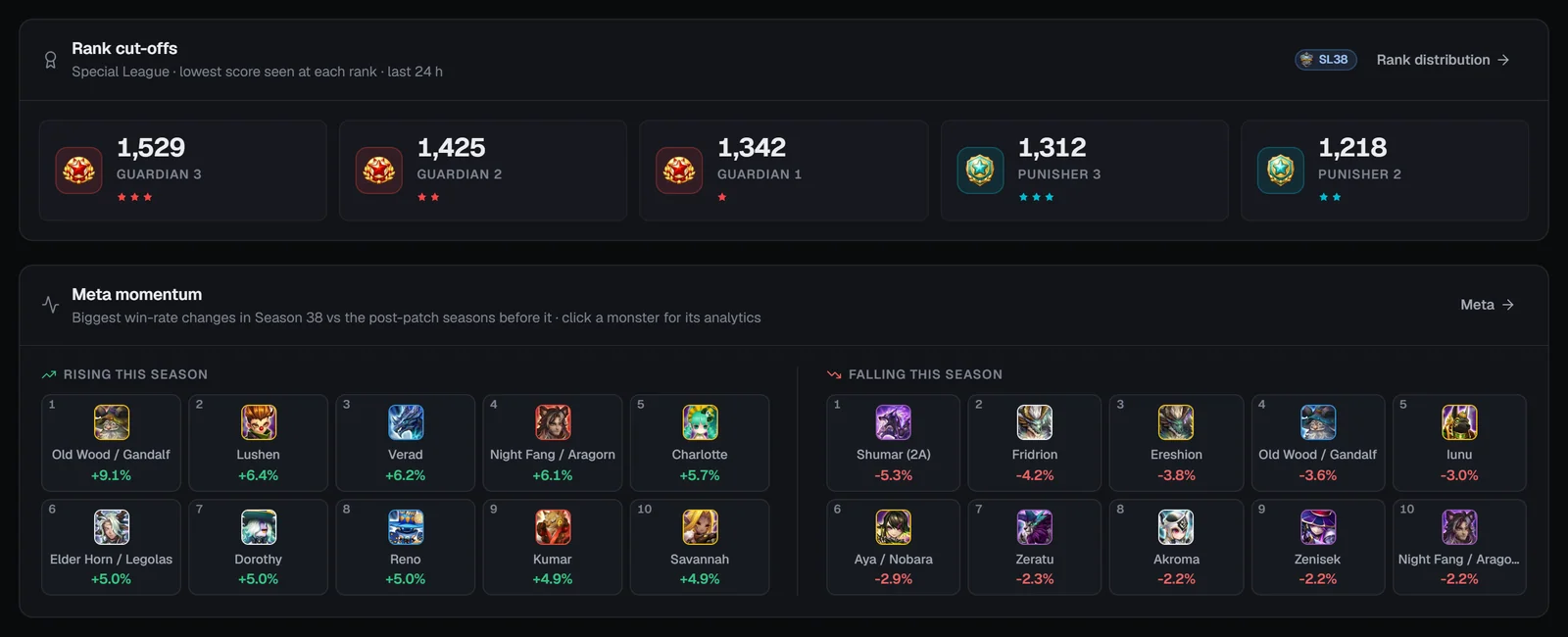
The rank cut-offs card (explained on the next tab) links to Rank distribution →. Meta momentum lists the monsters Rising this season and Falling this season: the biggest win-rate changes this season compared with the post-patch seasons before it (monsters need 200 picks this season and 500 before). Click one for its analytics; Meta → opens the Meta tab.
Ranks & cut-offs
Rank cut-offs
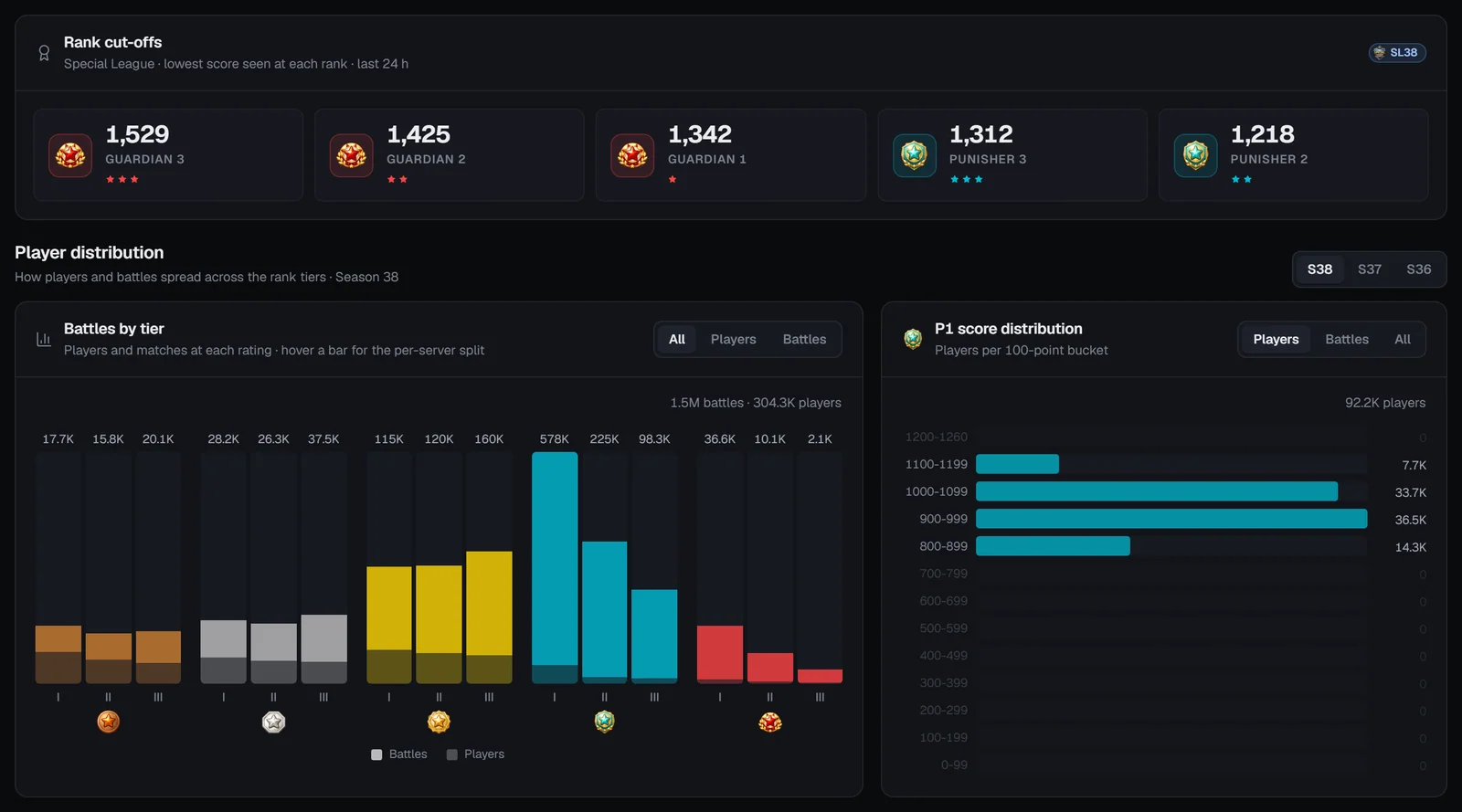
“Lowest score seen at each rank · last 24 h” for Guardian 3, Guardian 2, Guardian 1, Punisher 3 and Punisher 2 — the minimum score among players at exactly that rank in the last 24 hours. Use it to see how many points you need for the next rank. Between seasons it shows the Special League.
Player distribution
“How players and battles spread across the rank tiers”, with a season picker on the right.
Meta
Meta scatter
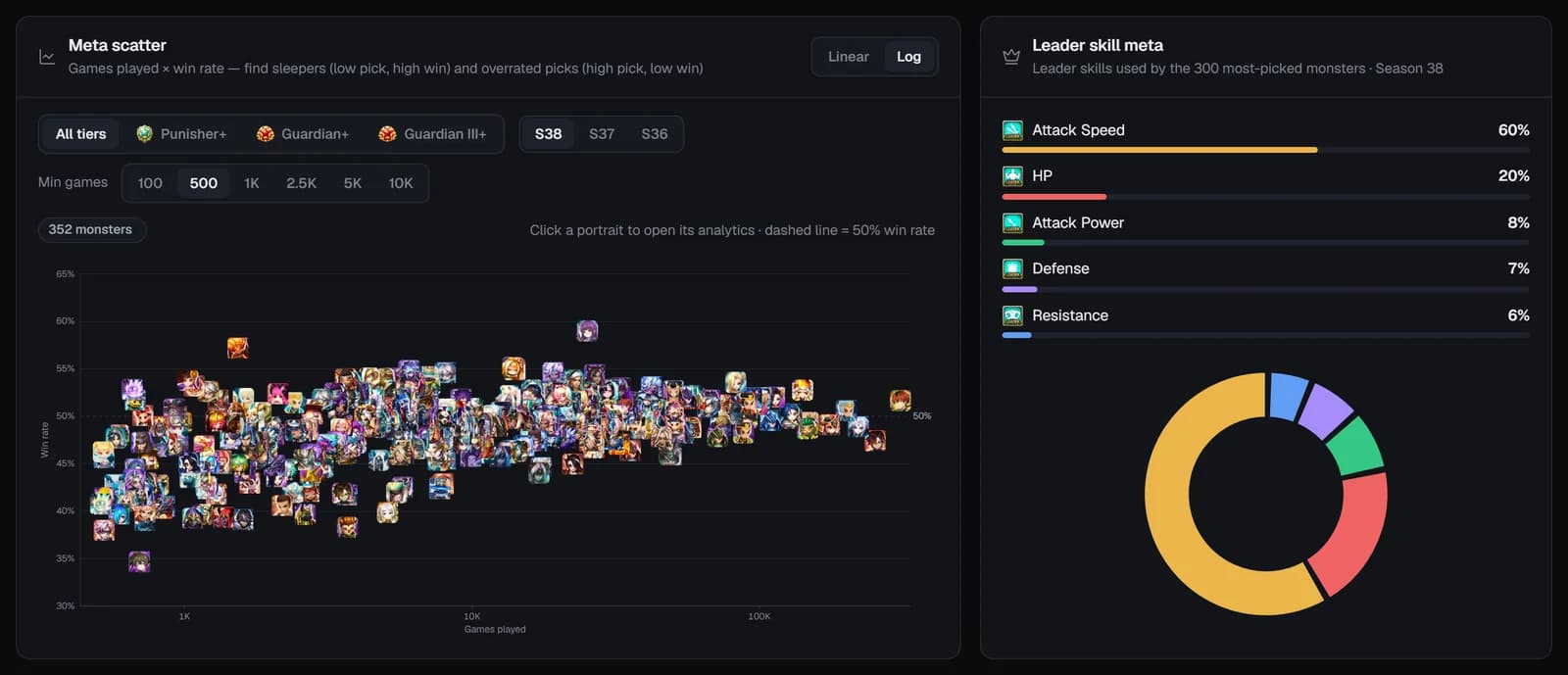
“Games played × win rate — find sleepers (low pick, high win) and overrated picks (high pick, low win).” Every monster is a portrait at games played (x) and win rate (y), with a dashed 50% line. Hover for its games and win rate; click to open its analytics.
- Linear / Log — the games axis scale (Log by default, so busy and rare monsters both fit).
- Rank tier — All tiers, Punisher+, Guardian+ or Guardian III+.
- Season and Min games (100, 500 by default, 1K, 2.5K, 5K, 10K).
Leader skill meta
The five leader-skill stats used most by the 300 most-picked monsters this season, as shares with a donut chart — for example how much of the meta leads with Speed.
Top lists
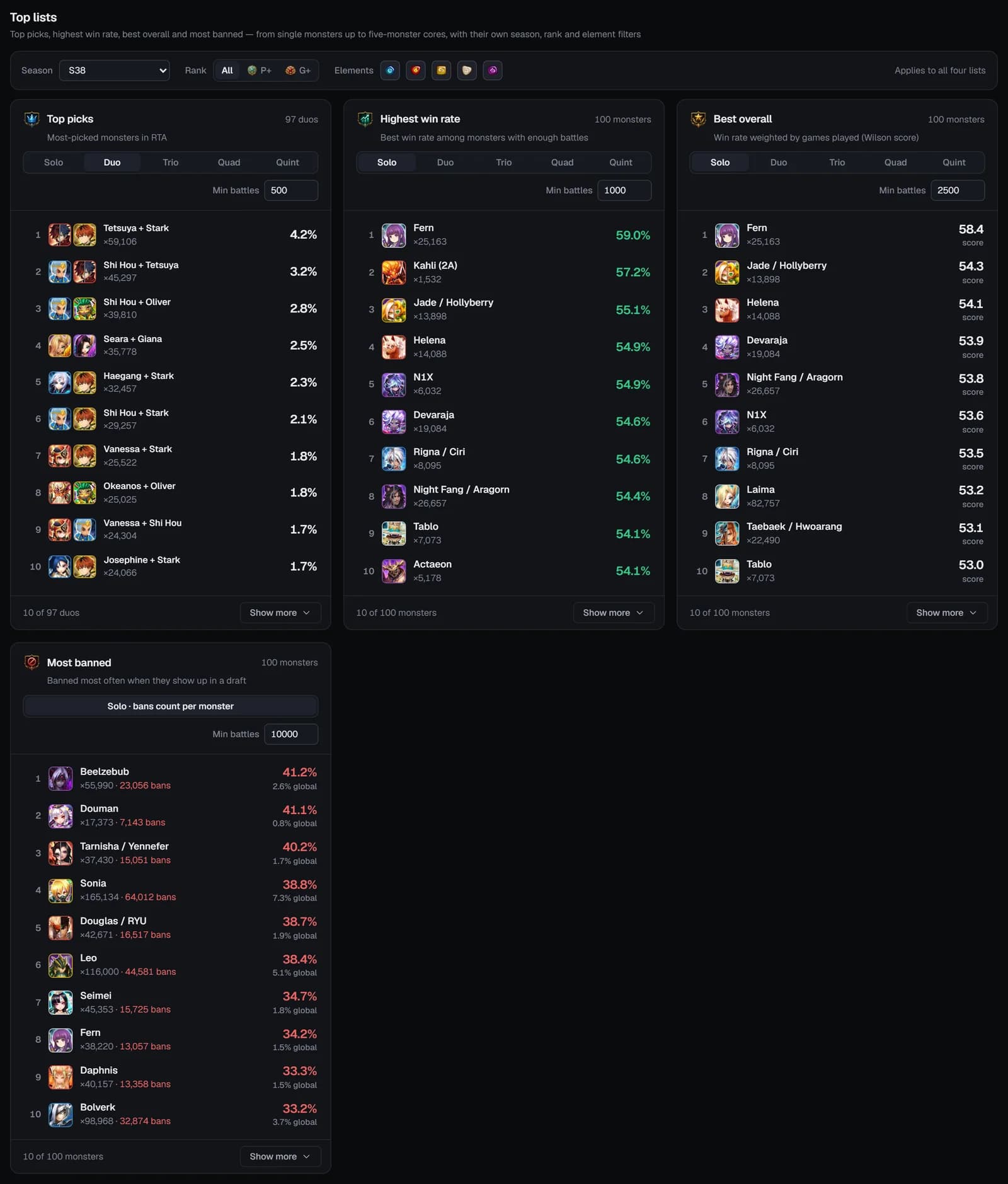
The same four lists as the Bestiary’s RTA meta overview, with one filter bar (Season, Rank All / P+ / G+, Elements):
Solo / Duo / Trio / Quad / Quint turn the first three into lists of cores — two to five monsters picked together — and Min battles sets each list’s minimum sample.
Leaderboard
Filters:
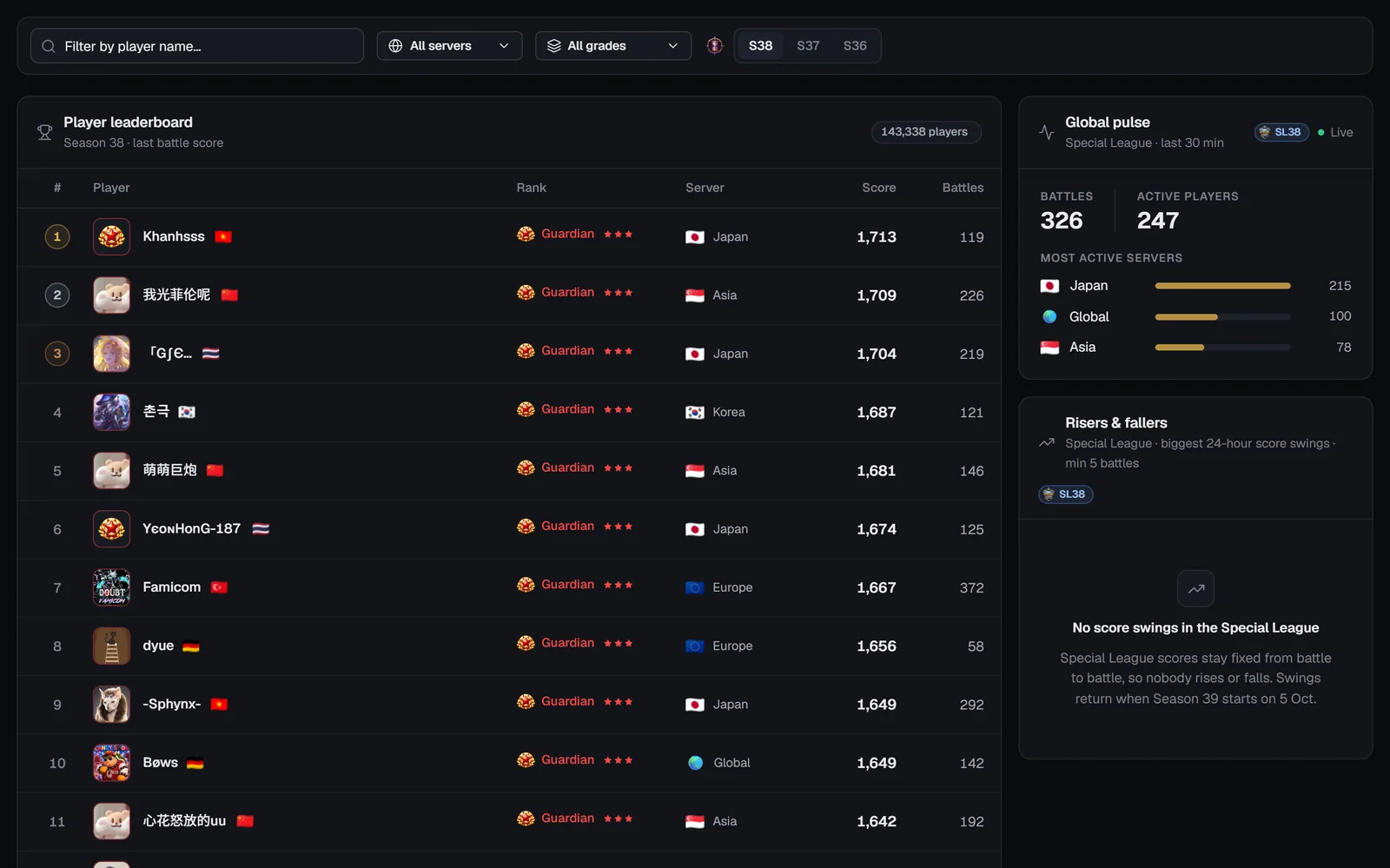
- Filter by player name… — narrows the season’s table.
- Server — All servers, Korea, China, Asia, Global, Japan, Europe.
- Grade — Challenger, Fighter / Conqueror / Punisher / Guardian 1–3, Legend.
- Season — the last three seasons (the default season first).
50 rows load at a time (Load more); click a row to open the profile. On the right:
- Global pulse — “Live activity · last 30 min”: battles, active players and the three most active servers, refreshed every minute.
- Risers & fallers — the biggest 24-hour score swings among players with at least 5 battles (empty in the Special League, where scores don’t move).
Recent battles
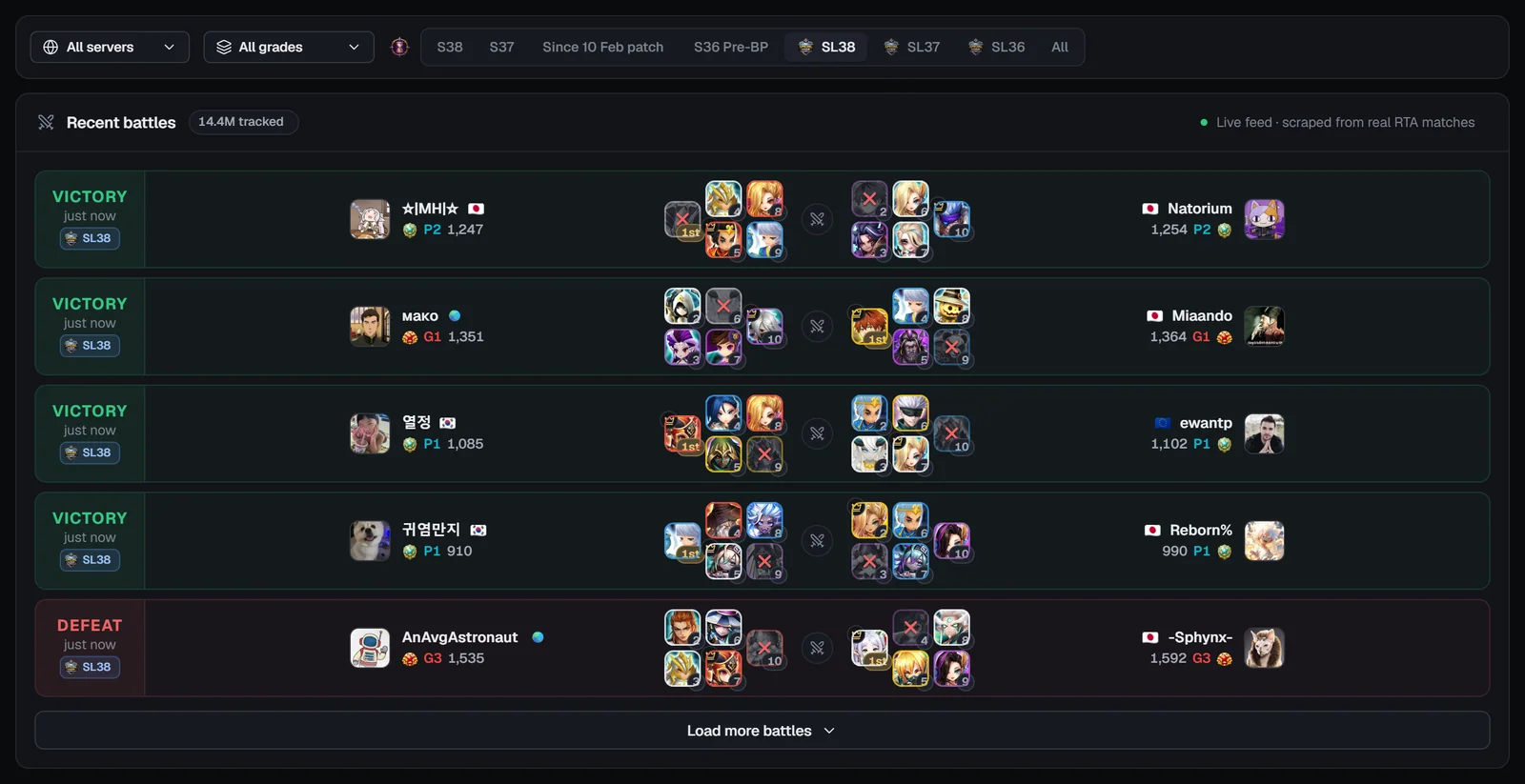
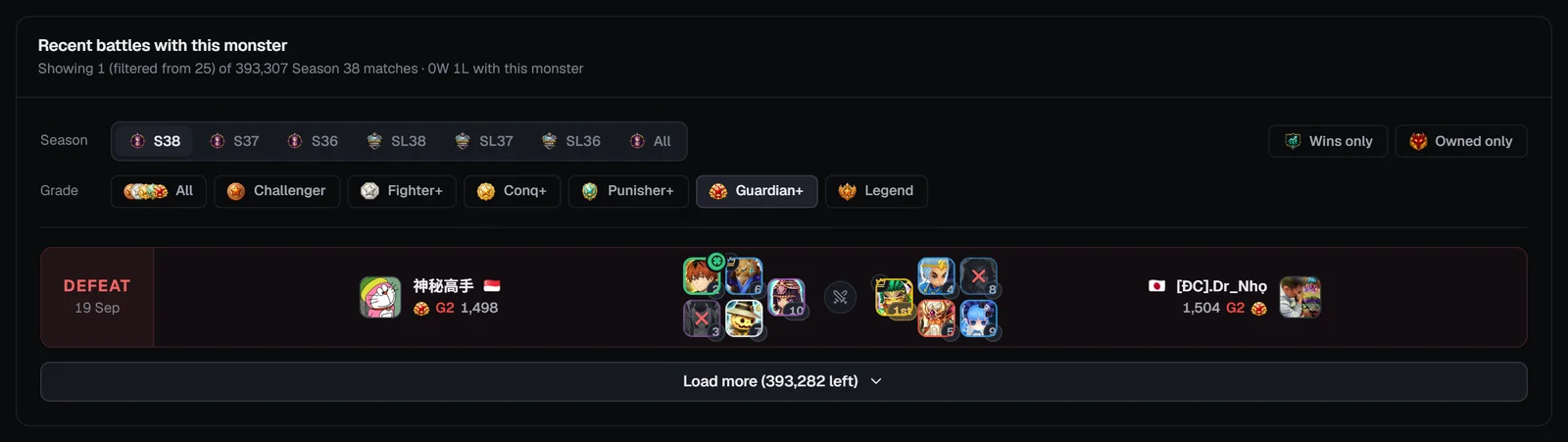
A live feed of real ranked RTA matches. Filter by server, grade and a season chip (the last seasons, “Since 10 Feb patch”, “S36 Pre-BP”, each Special League and All); it opens on the running season, or on the current Special League between seasons. Every 30 seconds it checks for new battles and offers “N new · refresh”; 25 rows load at a time.
Monster analytics
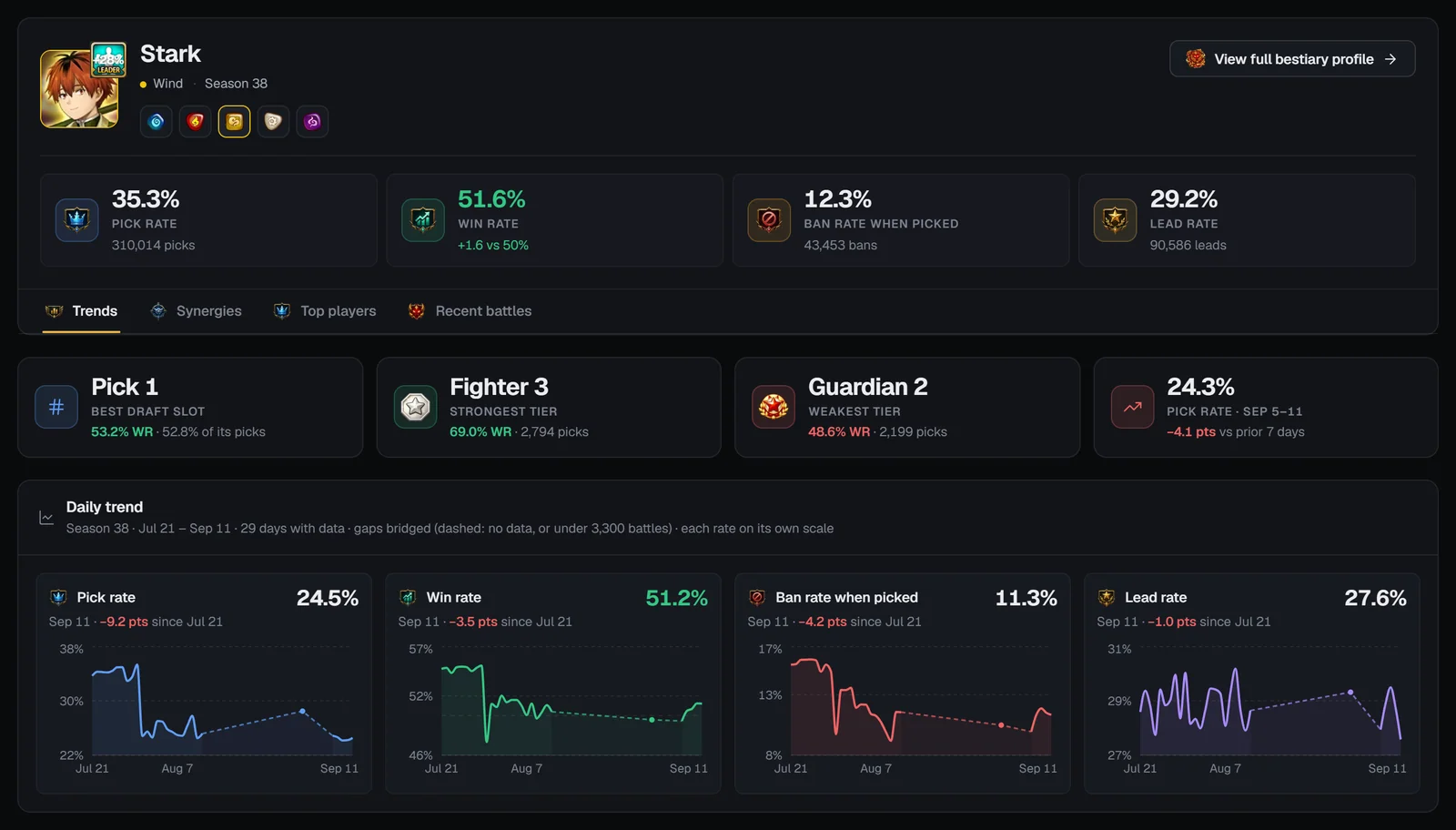
Search “Search for a monster (e.g. Theomars, Yeonhong, Tosi…)” — an empty box shows the ten most picked, and your last five searches appear as Recent chips — or click a Most picked chip. The header card shows the portrait and leader skill, the element variants, View full bestiary profile →, and four tiles for the default season:
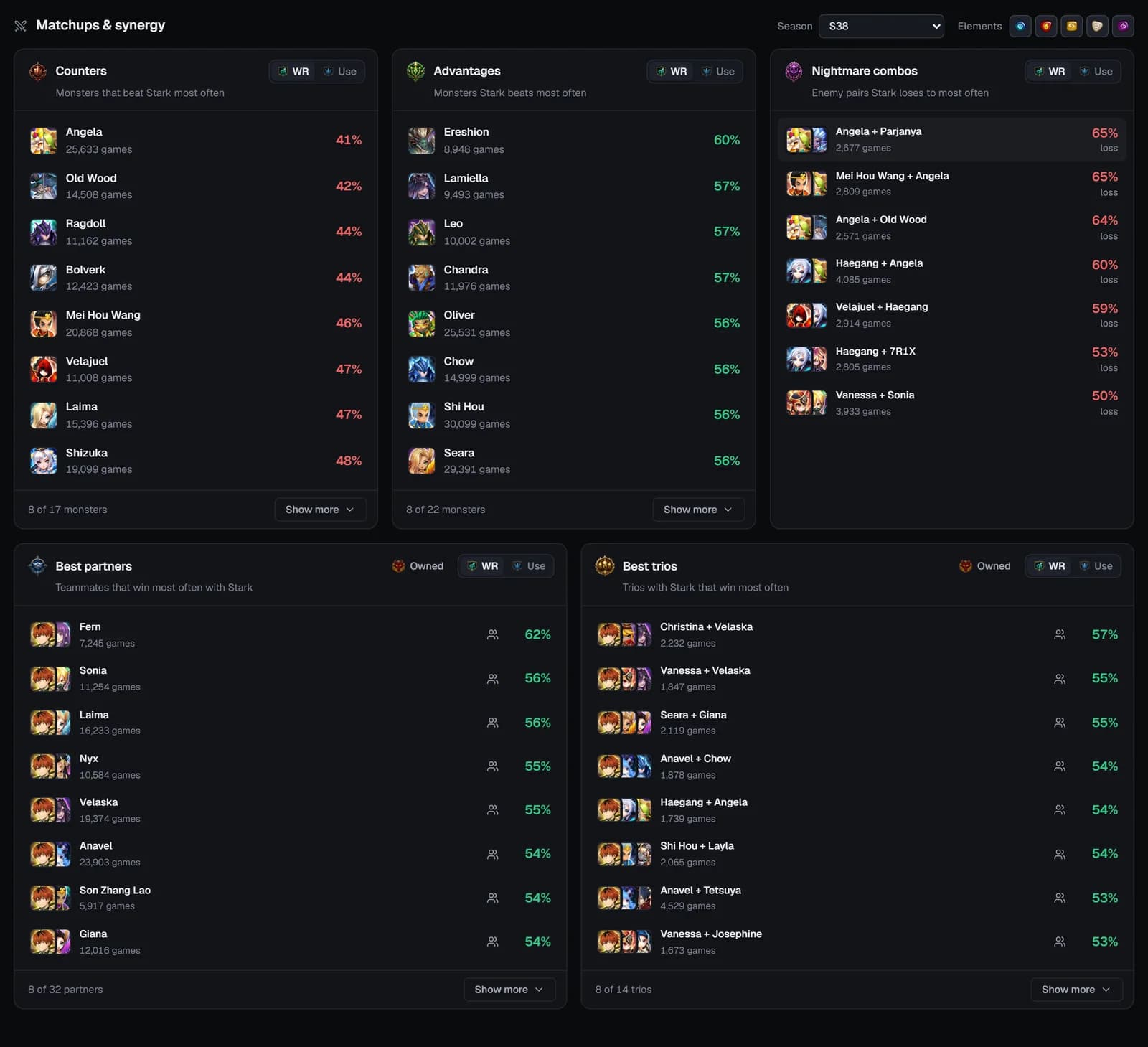
Four sub-tabs:
These match the RTA tabs of a Bestiary monster page, where each number is explained in detail.
Player profiles
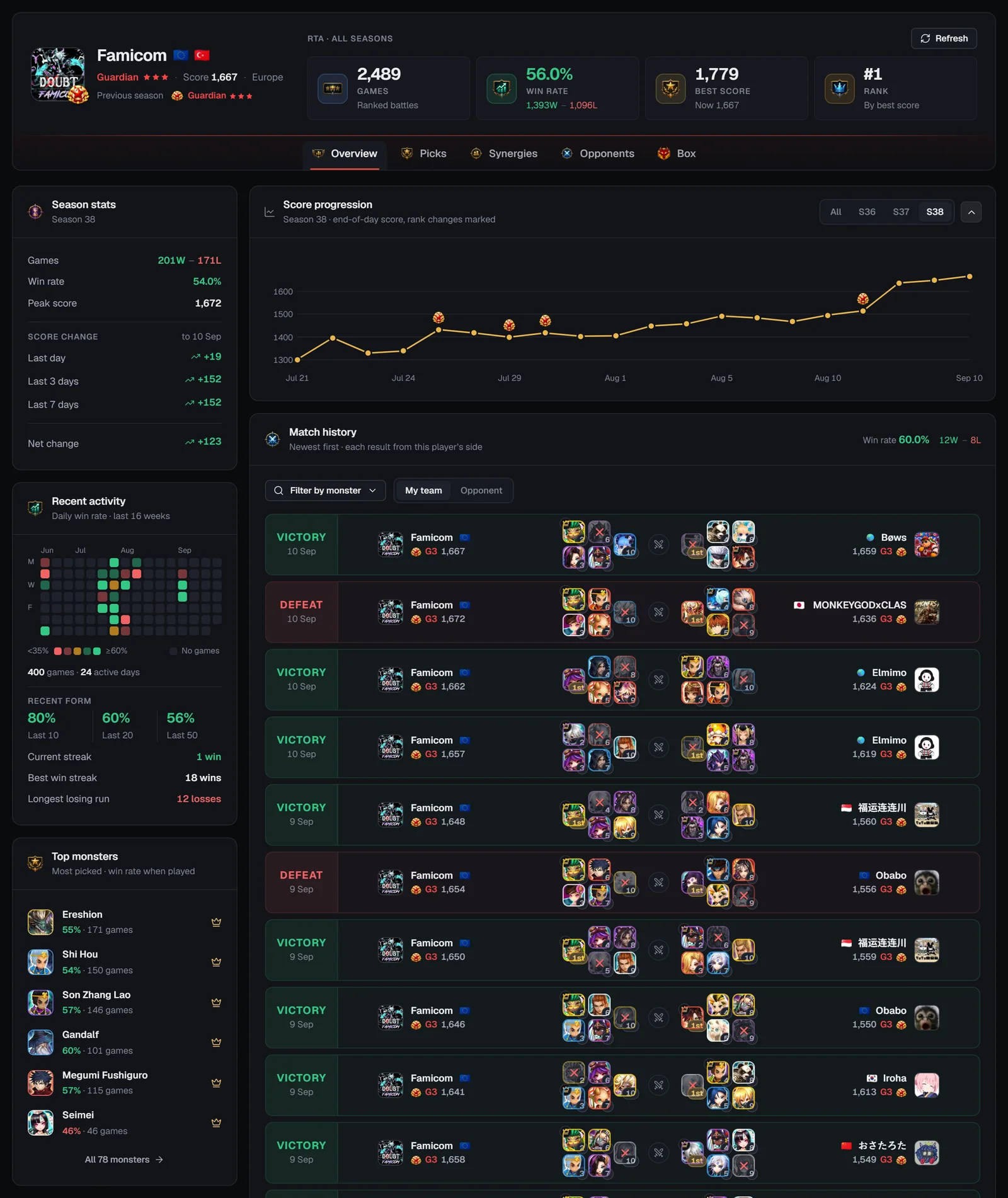
Every player SWLens has recorded in ranked RTA has a profile at /webapp/player/<wizard id>. The RTA Lens header stays on top, so you can search again or jump back to any tab.
The player card
- Picture with the rank badge, the name, the server and country flags.
- The current tier with stars (Guardian ★★★ = G3), “Score N” and the server; a Previous season line when the player finished one.
- Refresh — reloads the profile with the latest battles SWLens has recorded (once every 10 minutes per profile; the button shows a countdown).
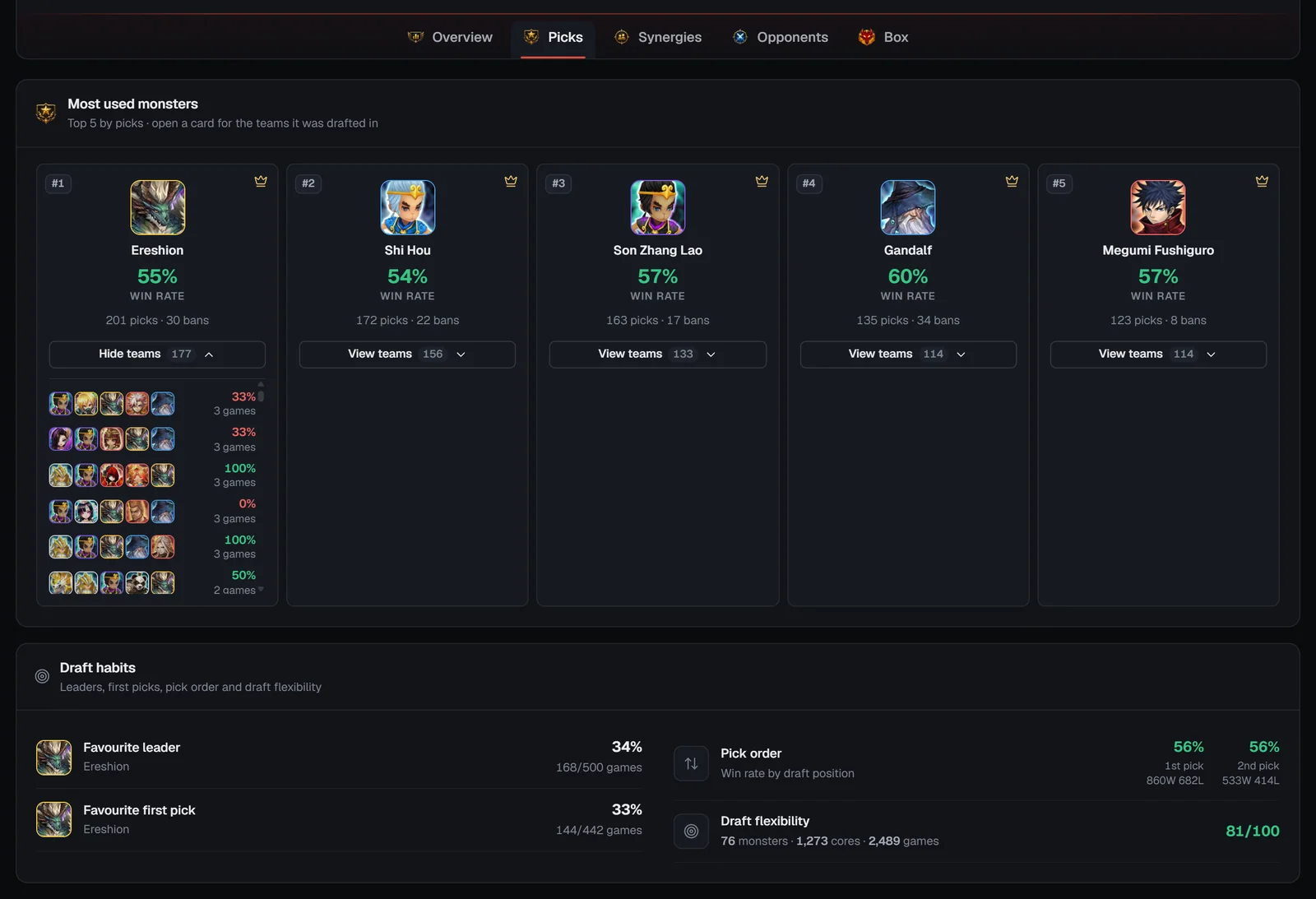
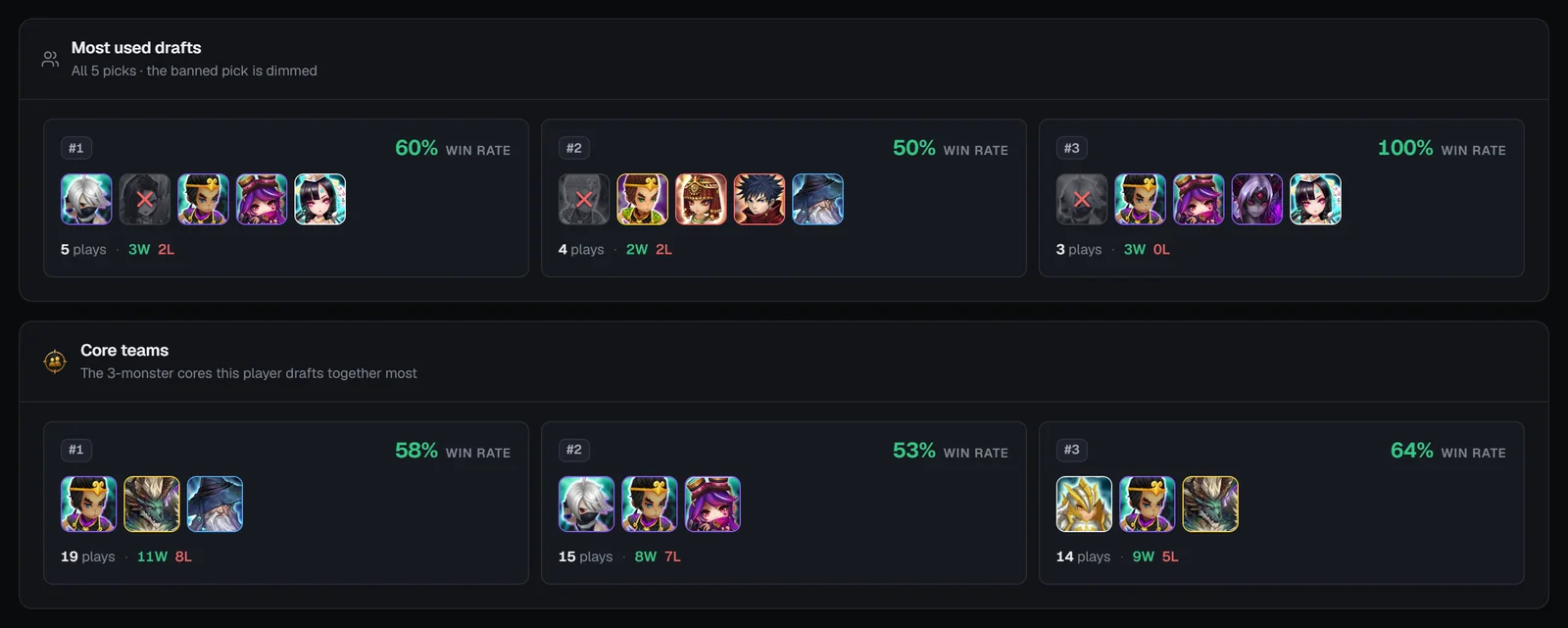
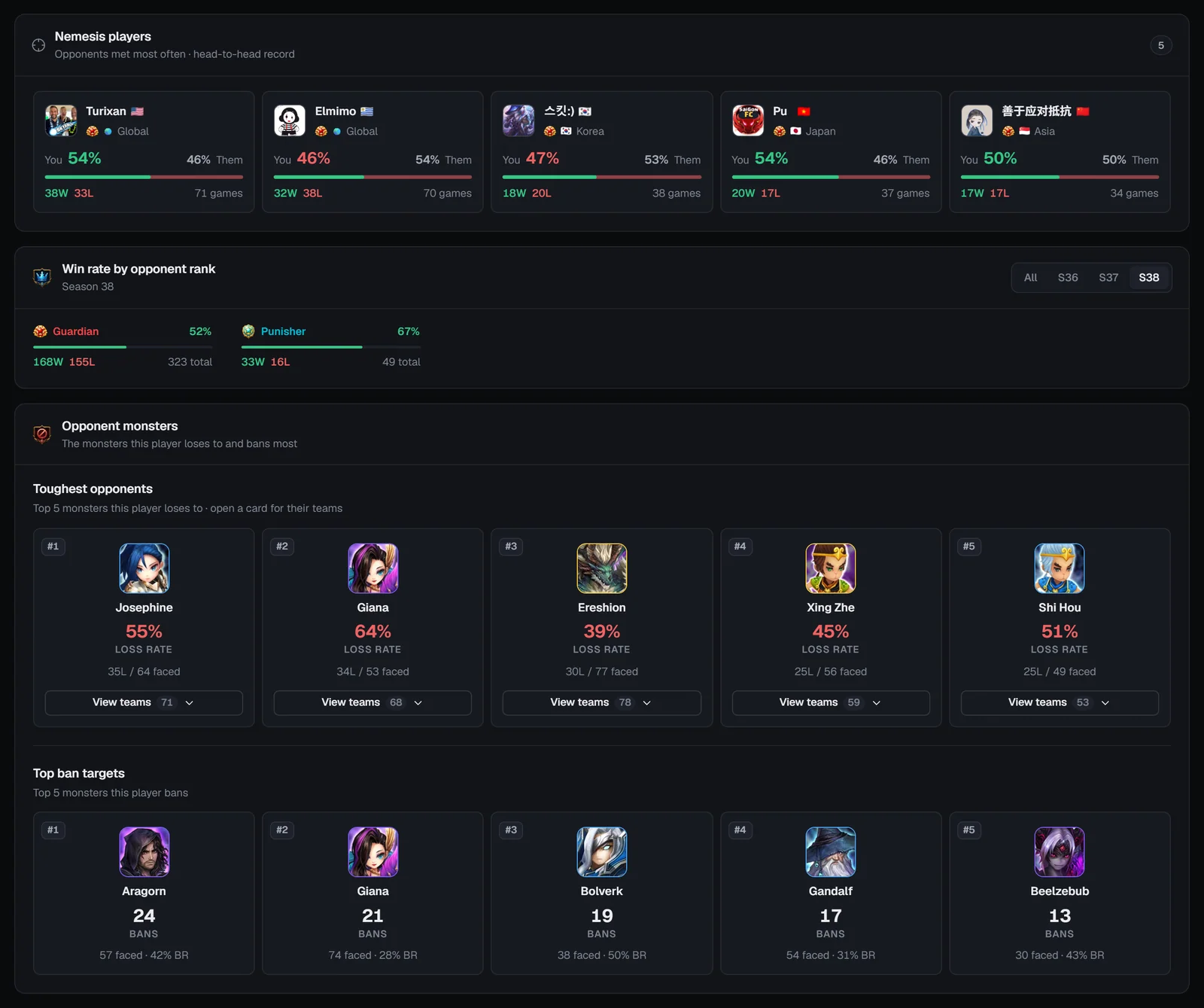
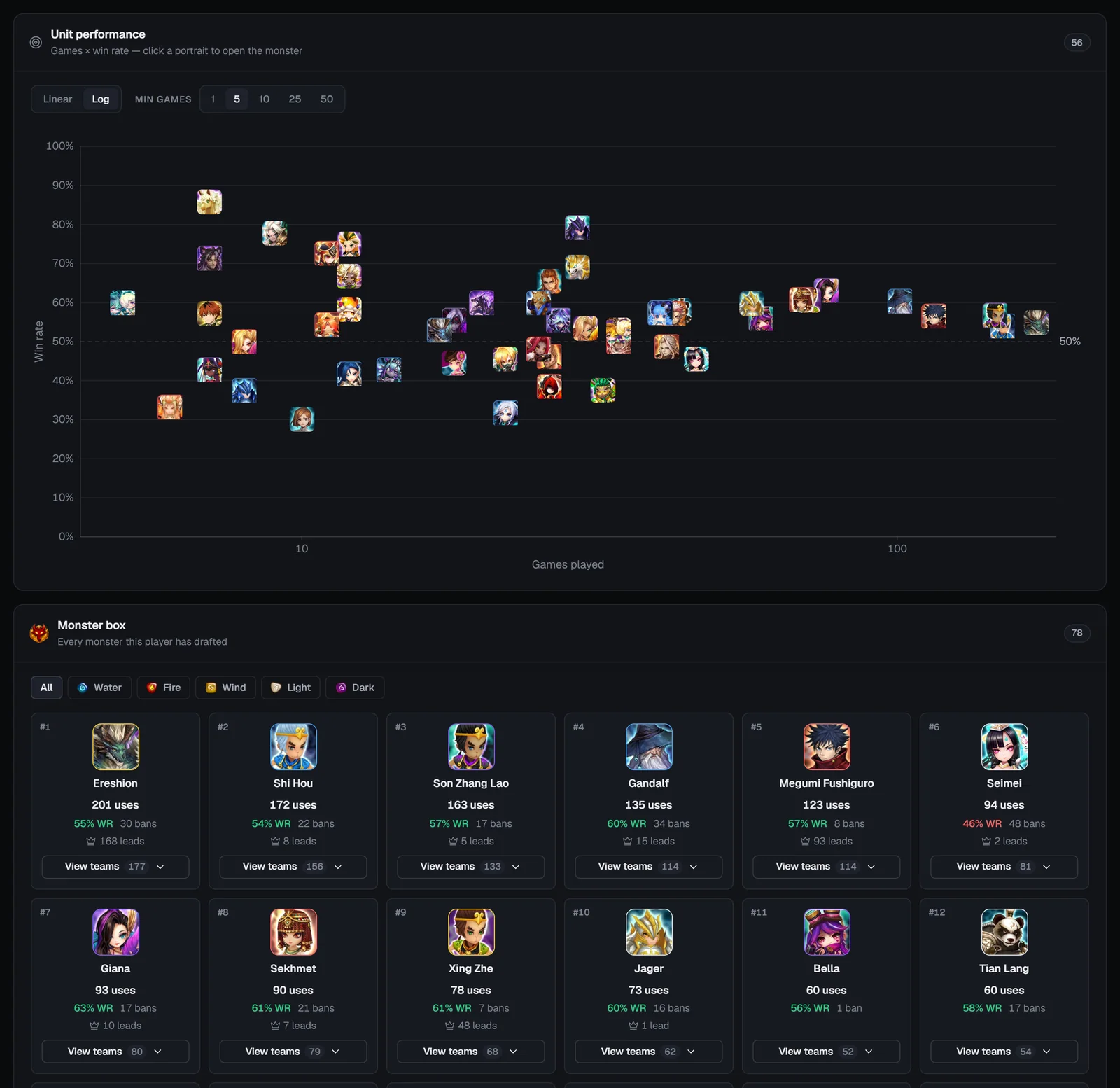
Five tabs sit on the card’s bottom edge — Overview, Picks, Synergies, Opponents and Box — each with its own address (?tab=picks, synergies, opponents, box). Except where a card has its own season picker, profile stats cover ranked battles across all seasons.
Profile tab: Overview
Match history
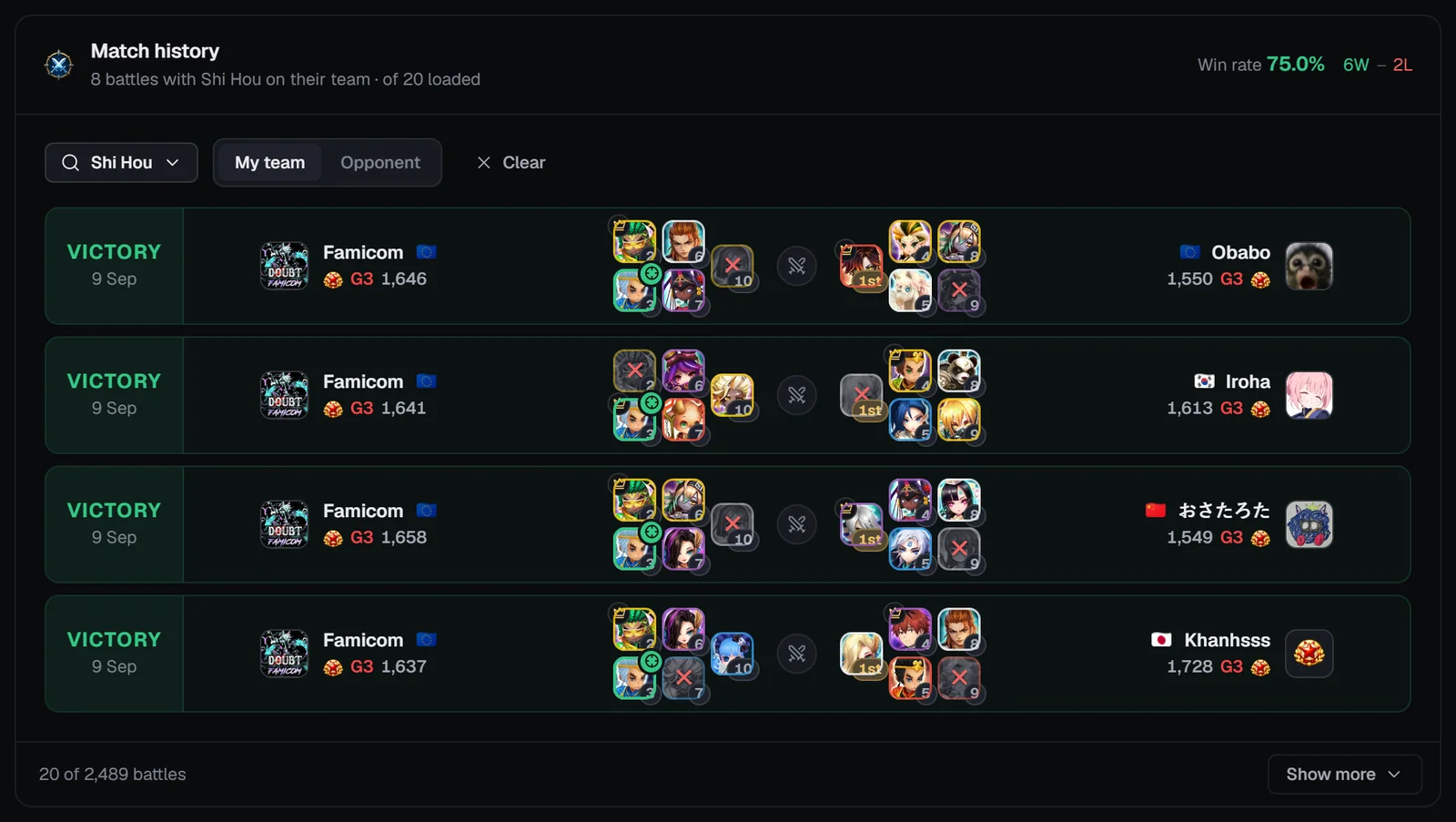
“Newest first · each result from this player’s side.” The header sums the win rate and W–L of the ranked battles shown (Special League battles are listed but not counted). Filter by monster finds battles with a monster on My team or the Opponent’s team among the loaded battles; 20 load first, then Show more. Rows read like the Recent battles feed, seen from this player’s side.
Profile tab: Picks
Profile tab: Synergies
Profile tab: Opponents
Profile tab: Box
Using RTA Lens with the RTA Builder
- Find candidates — on Meta, filter the scatter and top lists to your rank (Punisher+, Guardian+ …) and switch the lists to Duo or Trio to find strong cores.
- Check a monster — in Monster analytics, look at its best draft slot, its partners and trios, and how it does at your tier.
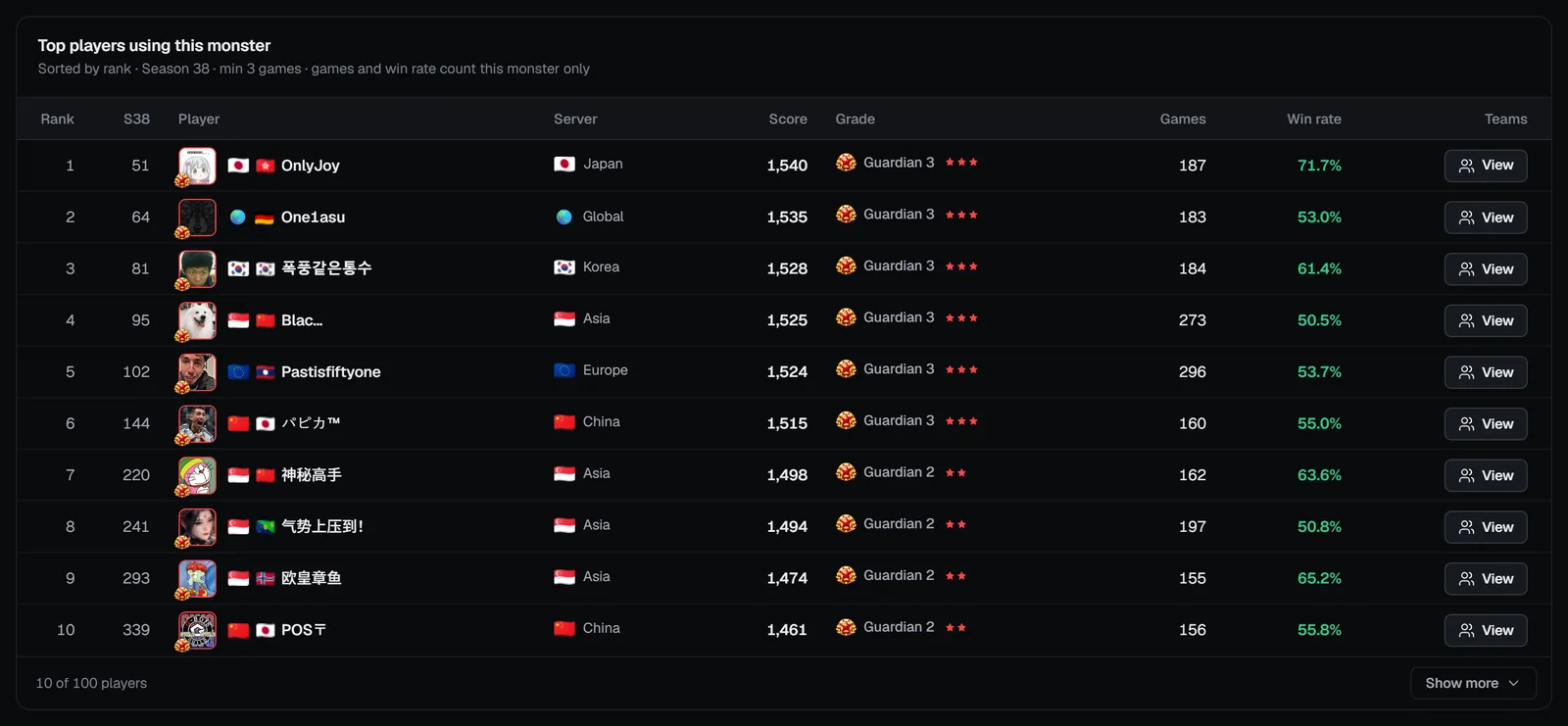
- Learn from top players — open a monster’s Top players and their profiles to see the drafts they build around it.
- Build it — open the RTA Builder: its Semi Auto team finder ranks meta teams from the same RTA battle data, and Full Manual takes any five monsters. From a Bestiary monster page, the Teams tab’s Build button sends an RTA team you own straight to the builder.
- Track it — after some games, use View my profile to see your picks, drafts and score progression.
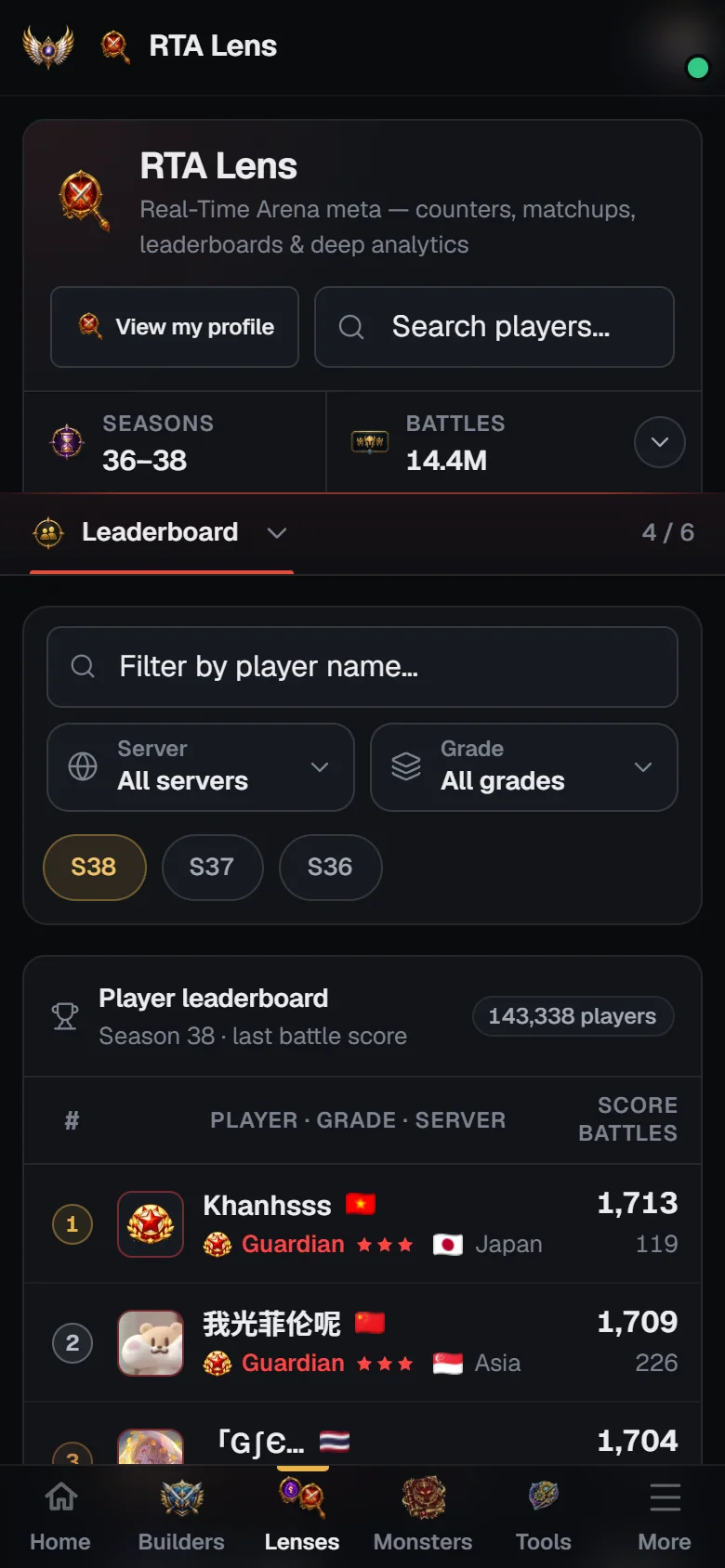
On phones
- The search goes full width, the stats strip folds to one line, and the tabs stay pinned (as a section switcher when they don’t fit).
- Server and Grade open as bottom sheets; season chips explain the selected period underneath.
- Leaderboard rows and battles become cards; tap a battle for a details sheet naming every pick, leader and ban.
- Scatter charts gain 1× / 2× / 4× zoom — tap a portrait for its games and win rate.
- Tiles and cards show (i) buttons instead of hover tooltips; profiles show “Teams” sheets instead of expanding lists.
Frequently asked questions
Is RTA Lens free?
Yes. RTA Lens and every player profile are public: no account or login needed. Only “View my profile” and the “Owned only” filters need you to log in with your SWEX JSON imported.
Where does the RTA data come from?
From real ranked Real-Time Arena battles that SWLens records: both drafts, the bans, the leader, the result and each player’s rank and score. Some battles can be missed at very busy times, so treat totals as SWLens’s coverage rather than the game’s official count.
How do I look up a player?
Type part of their in-game name in “Search players…” at the top of RTA Lens. Up to ten matches appear with their rank, server, battles and score; click one to open their profile. You can also click any player name on the leaderboard or in a battle.
Do Special League battles count?
No. Special League battles (between seasons, labelled like “SL38” — the Special League after Season 38) show in battle lists with a pill but never count in any statistic. Between seasons the live widgets (live activity, rank cut-offs) show the Special League instead.
When does a new season show up?
Season pickers list a new season as soon as it starts, but pages keep opening on the previous season until the new one has 20,000 ranked battles, so the numbers are meaningful from the first view.
What is “Best overall”?
A win rate weighted by games played (the lower bound of a Wilson score interval). It favours monsters that win a lot over many games instead of a lucky few.
Why is a player’s profile Rank different from their leaderboard position?
The profile’s Rank tile compares the player’s best score of all seasons with every recorded player’s latest score. The leaderboard ranks the selected season by each player’s latest score, after your filters.
Can I hide my RTA profile?
Profiles are built from public ranked battles and appear once SWLens records a player’s ranked games; there is no setting to hide one.
How do I use RTA Lens with the RTA Builder?
Use the Meta tab and Monster analytics to choose monsters and cores for your rank, check how top players draft them, then build that team in the RTA Builder — or send an RTA team from a Bestiary monster page with its Build button.
Related guides


About SWLens RTA Lens
SWLens RTA Lens tracks Summoners War RTA stats from real ranked Real-Time Arena battles. Follow the live season and the Special League, read the RTA meta — pick rates, win rates, ban rates, leader skills and the best two- to five-monster cores — check the RTA rank cut-offs for Guardian and Punisher, browse the RTA leaderboard by server, grade and season, watch a live battle feed, and open deep analytics for any monster. Every player has a profile with their record, activity, score history, favourite picks, drafts, nemeses and monster box — free, no login needed.
Check the RTA meta
See what’s winning at your rank, scout your next opponent, and track your own climb — free.
 RTA Builder guide